

Drive the initiative to implement basic fuzzy search rules and front-end data auto-completion in the search/select component.
Design system | Search experience
Product
Volcano engine design system
Skills
Design system - Color palette
Timeline
Q1 2023
Collaborators
HongLiu
The problem
Some products do not support fuzzy search. For products that have already supported fuzzy search, the degree of fuzziness is not sufficient.
Our current capability


Boolean
Limited fuzzy
User desired

Fuzzy
Problem#1: Lack of fussy search
"ALB does not have a fuzzy search function. The current search of LB is an exact search, which is basically unusable."


Problem#2: Not smart enough
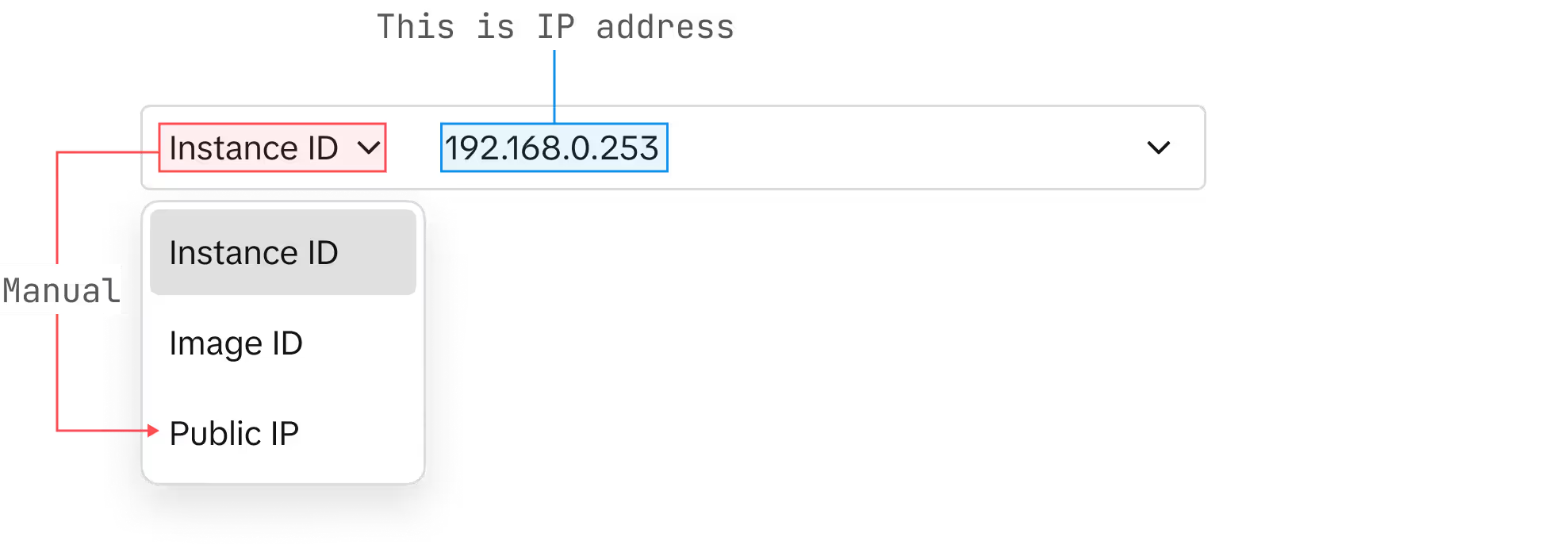
"The ECS instance list search can't match query to ".id", "name", "ip". manual adjustment is needed each time, very inconvenient."
As design system team members, we see an opportunity to enhance search experience.
We began by understanding how search works and auditing Volcano Engine's product search function to understand our situation.
Understand search
Find the area of focus and audit the criteria.
Search state audit
Understand the current state to define a realistic and feasible project goal.
Define project goal
Set clear goal and align with dev team.
Set and test rules
Formulate rules in line with use cases and development capabilities.
Implementation
Offer an enhanced search experience to a broader
range of products.
01
02
03
04
05
Understand search
Our goal is to thoroughly understand what takes place at the front end and back end/behind the scenes at different stages of searching. Determine the areas where improvement is possible and establish our main area of focus.
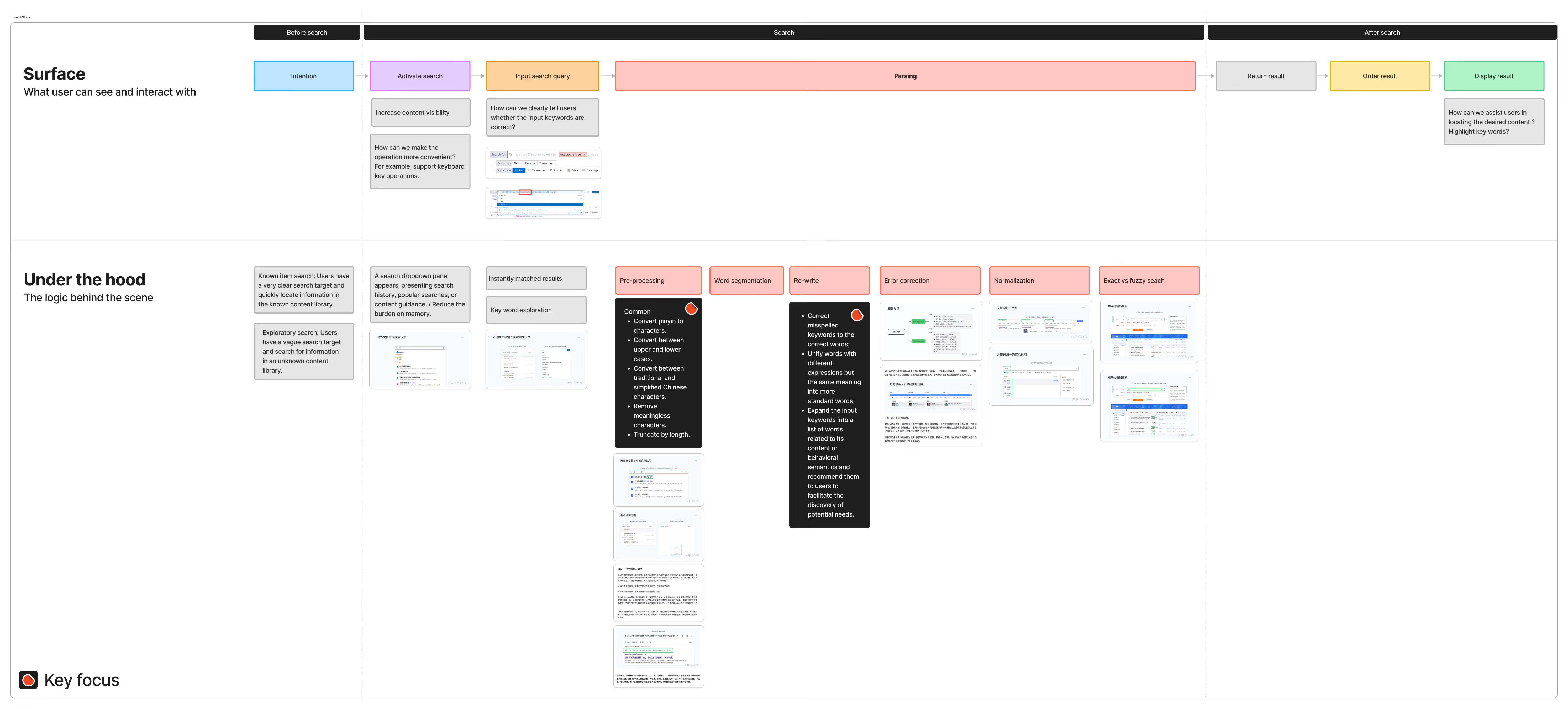
Based on user's feedback, we decide to focus on [Query parsing] stage:
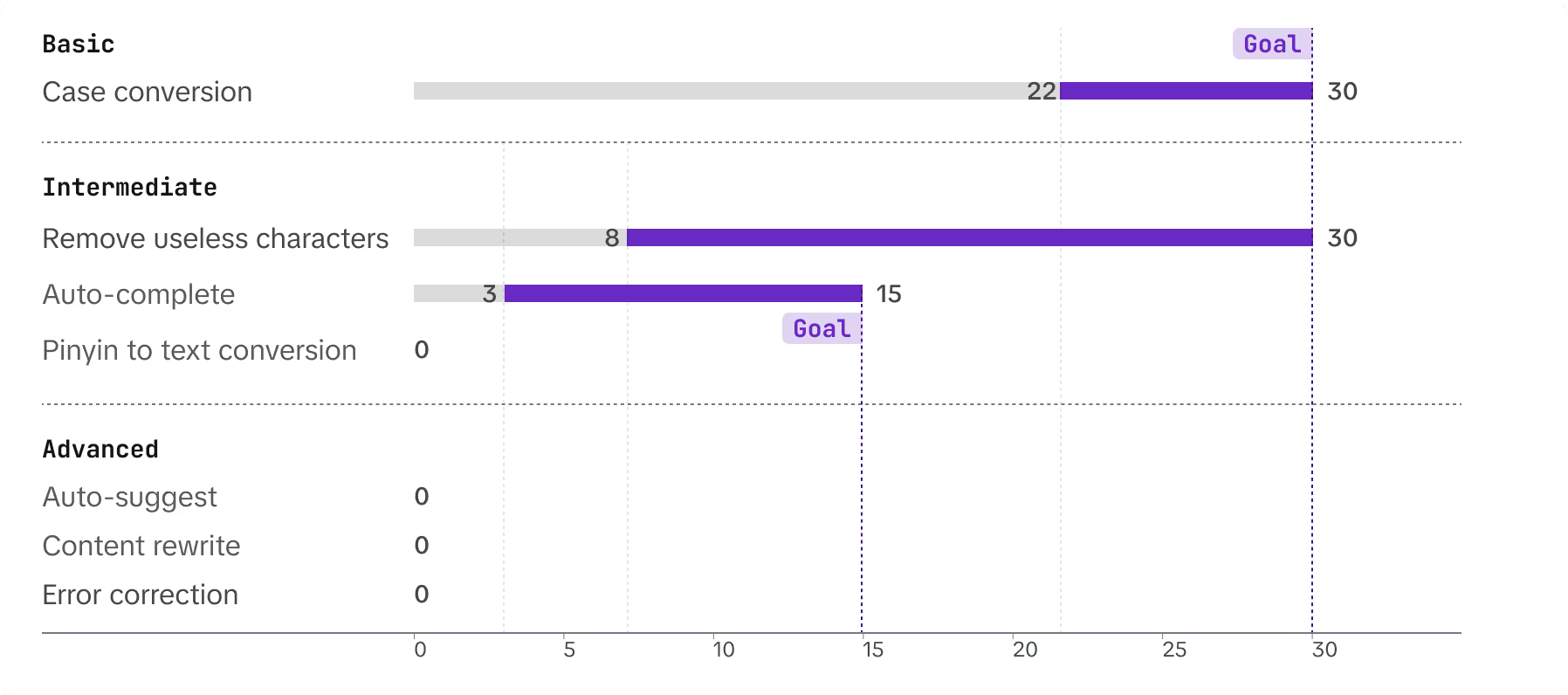
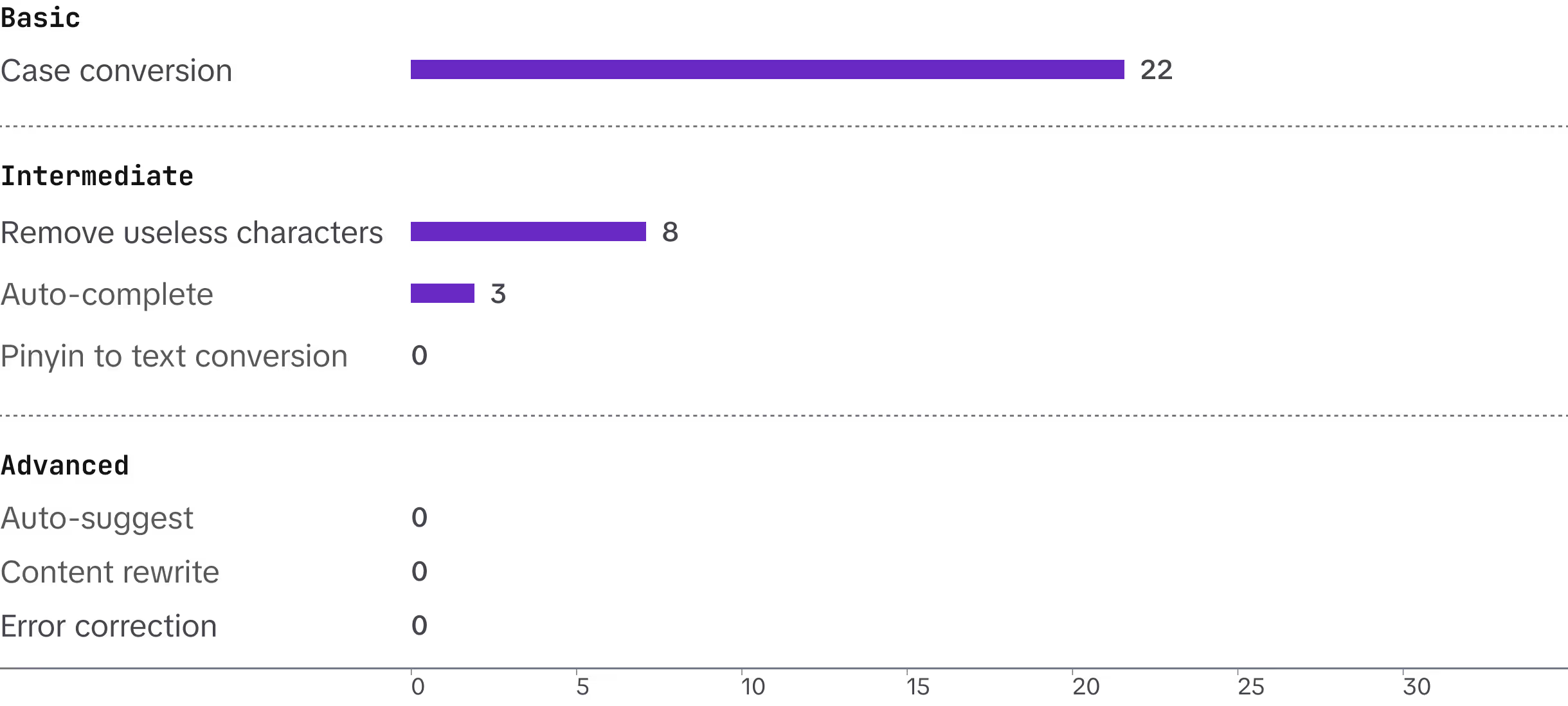
After aligning with the dev team, we classified focus area functions into three levels (basic, intermediate, and advanced) and audited 30 tier one products to understand our current status.
Basic
Intermediate
Advanced
Case conversion.
Remove meaningless characters
Auto-suggest
Pinyin to text conversion
Content rewriting
Auto-complete
Error correction
The audit
Result
73% (22/30) have basic search function.
27% (8/30) implemented remove useless characters.
10% (3/30) have auto-complete.
0% (0/30) have advanced functions.
Why so basic?
Rapid delivery comes at the cost of user experience.
The business expands rapidly. As the existing data volume increases significantly, optimizing search requires a substantial amount of development work, especially for the backend.
The design of the search function has been overlooked, whether at the interaction level or the product level.
Implication
Given our limited development resources, set a realistic goal and concentrate on areas that can be improved on the front end.
The goal
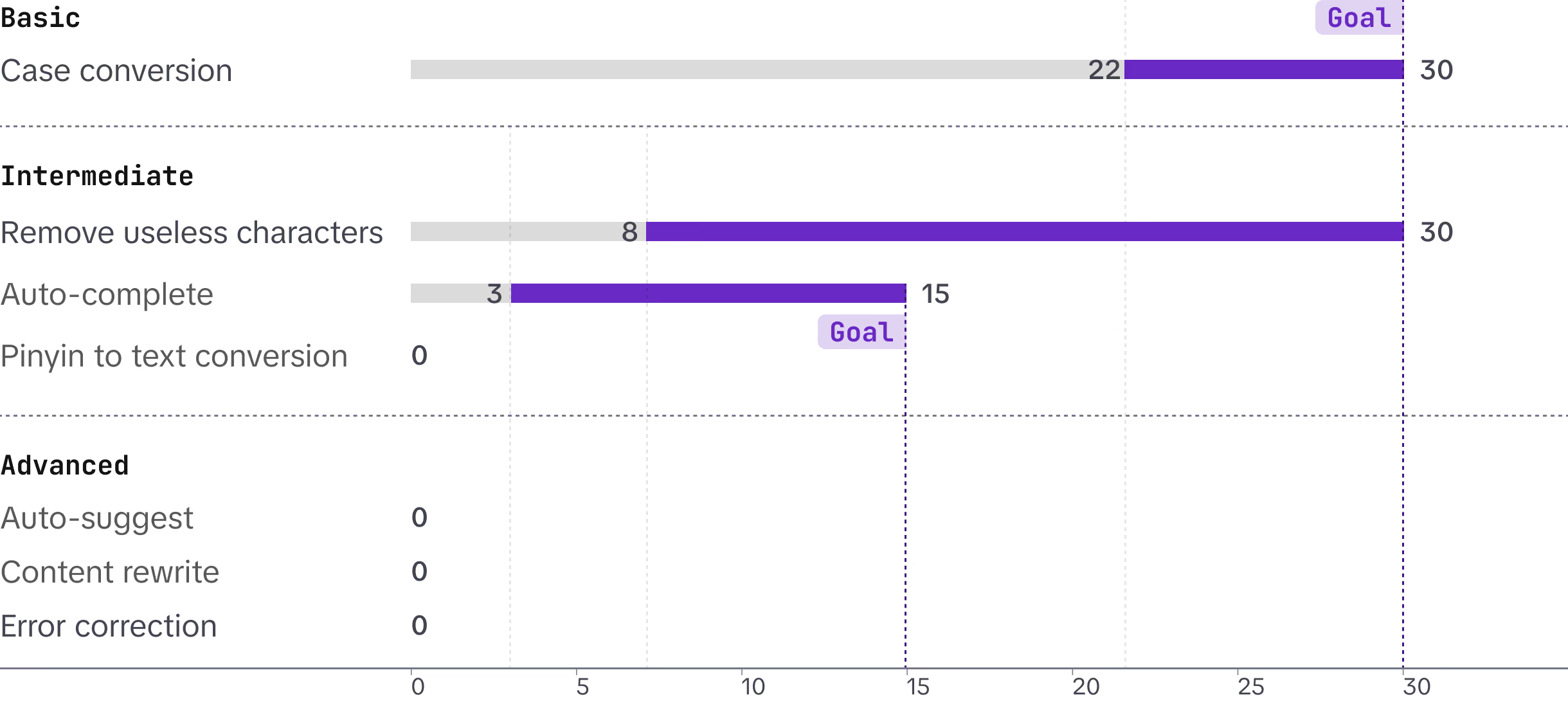
Raise the baseline metrics
100% (30/30) have basic search function.
100% (30/30) implemented remove useless characters.
50% (15/30) have auto-complete.
Raise the awareness
Organize sharing sessions to answer designers' common search questions and share best practices, engaging more designers to optimize search experience for their products.
Raise the baseline / Define rules
Not every use case requires fuzzy search. We classify different use cases based on how the data is generated.
How the data is generated?
Corresponding use case
How the query is inputed?
Fuzzy search?
User inputs manually
Repo name
Service name
Instance name
Cluster name
User recall
✅ YES
Reduce user cognitive load
User inputs manually+System generated
Monitoring metrics
Alert rules
User recall
Copy & paste
Case by case
System generated
Pod ID
Image ID
IP address
Time
Number
Copy & paste
❌ No
Raise the baseline / Implementation & challenge
Strategy
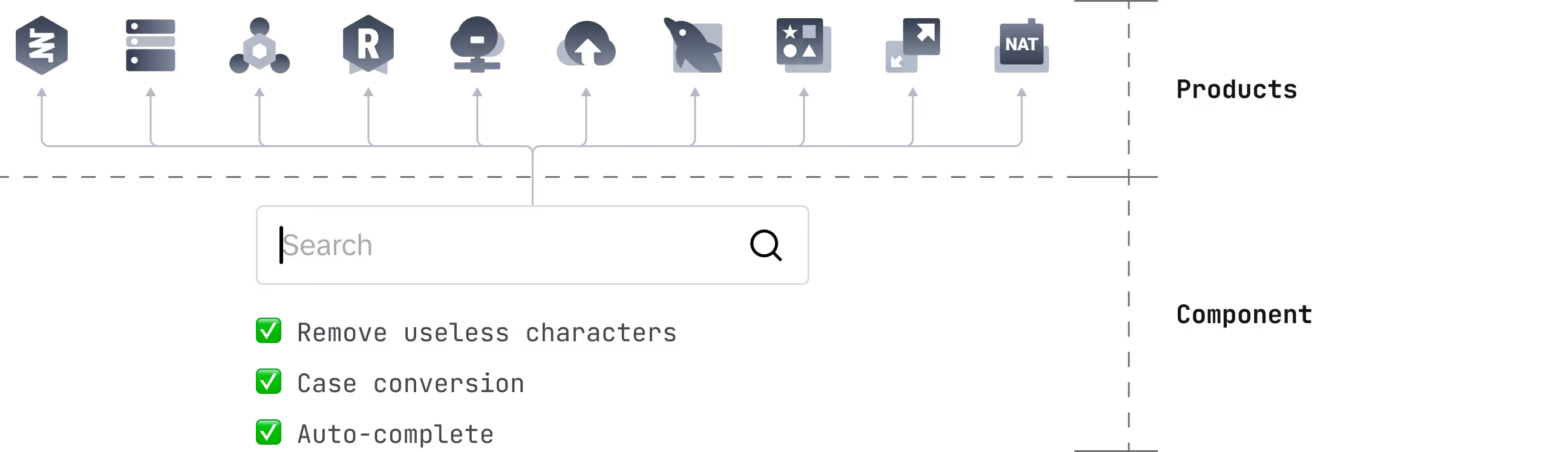
Incorporate target functions into the basic search component. This approach can achieve the maximum impact while requiring the least effort from product owners.
Challenge
For most products to achieve full auto-complete—a highly demanded feature—backend support is required. What can we do in this situation?
Rules
Priority
Difficulty
Dev team
Within 1st scope
Case conversion
P0
Easy
Front end
✅ YES
Remove useless character
Auto-complete
P0
Medium
Front end + Back end
TBD
Pinyin to text conversion
P0
Hard
Need search lexicon
Back end
❌ No
Auto-suggest
Hard
Need search engine
Content rewrite
Error correction
Raise the baseline / Solution
Deep-dive into how back/front end interact with each other
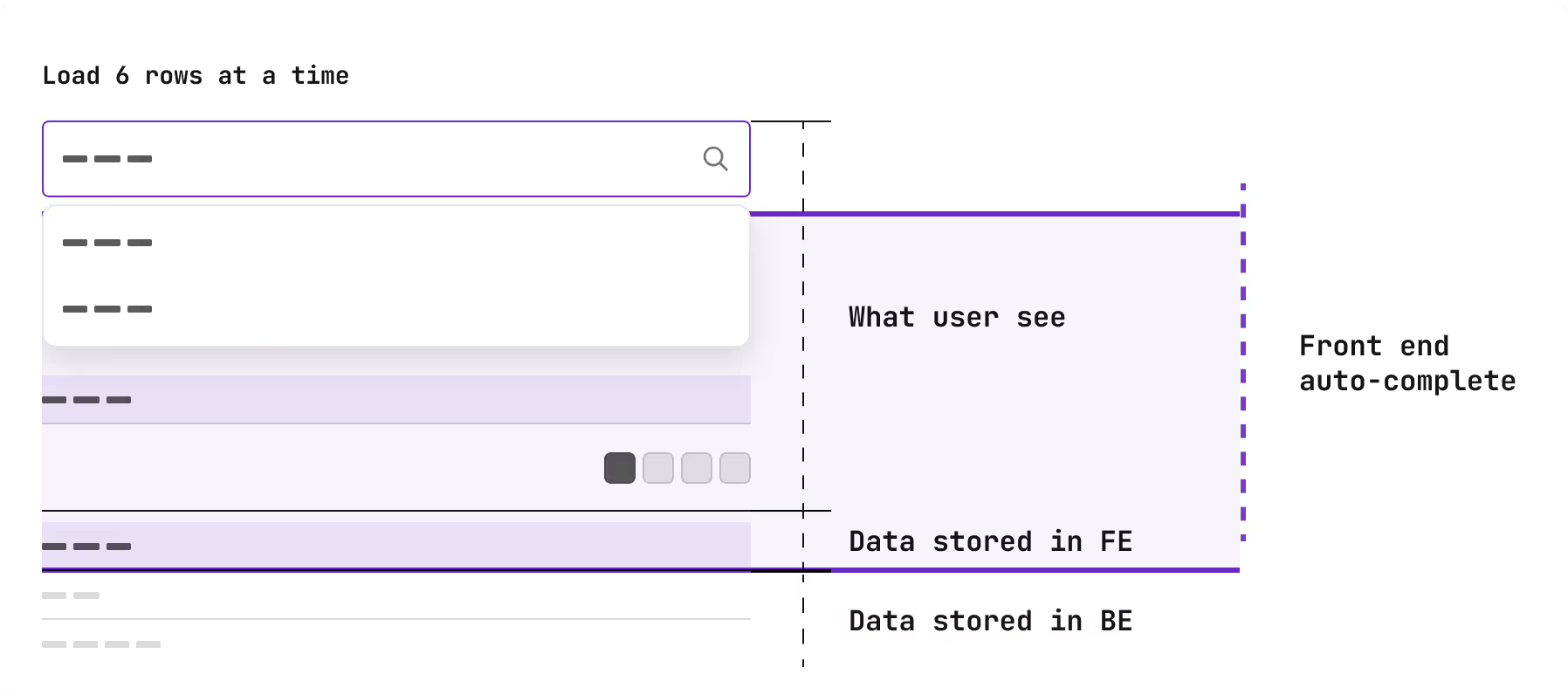
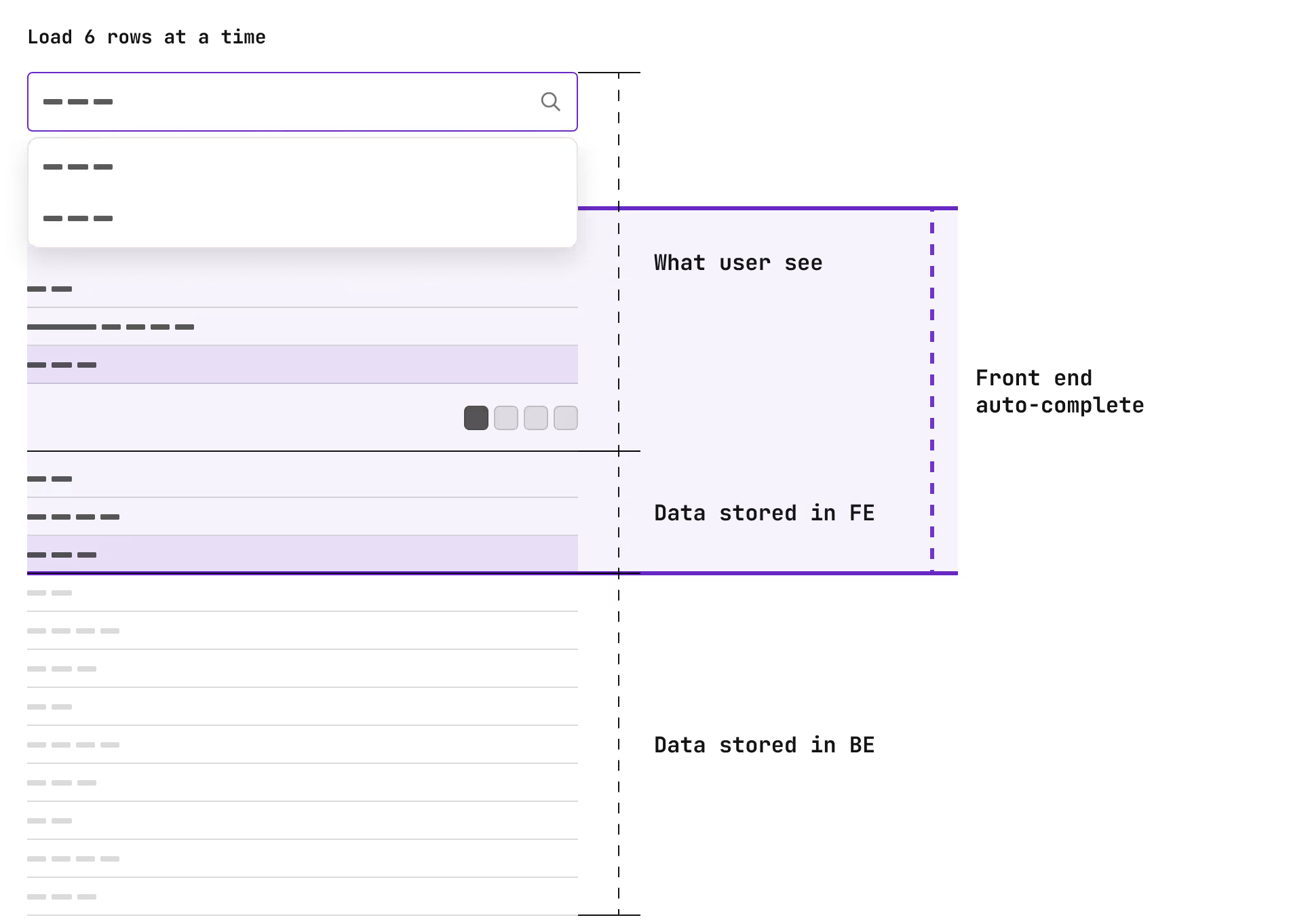
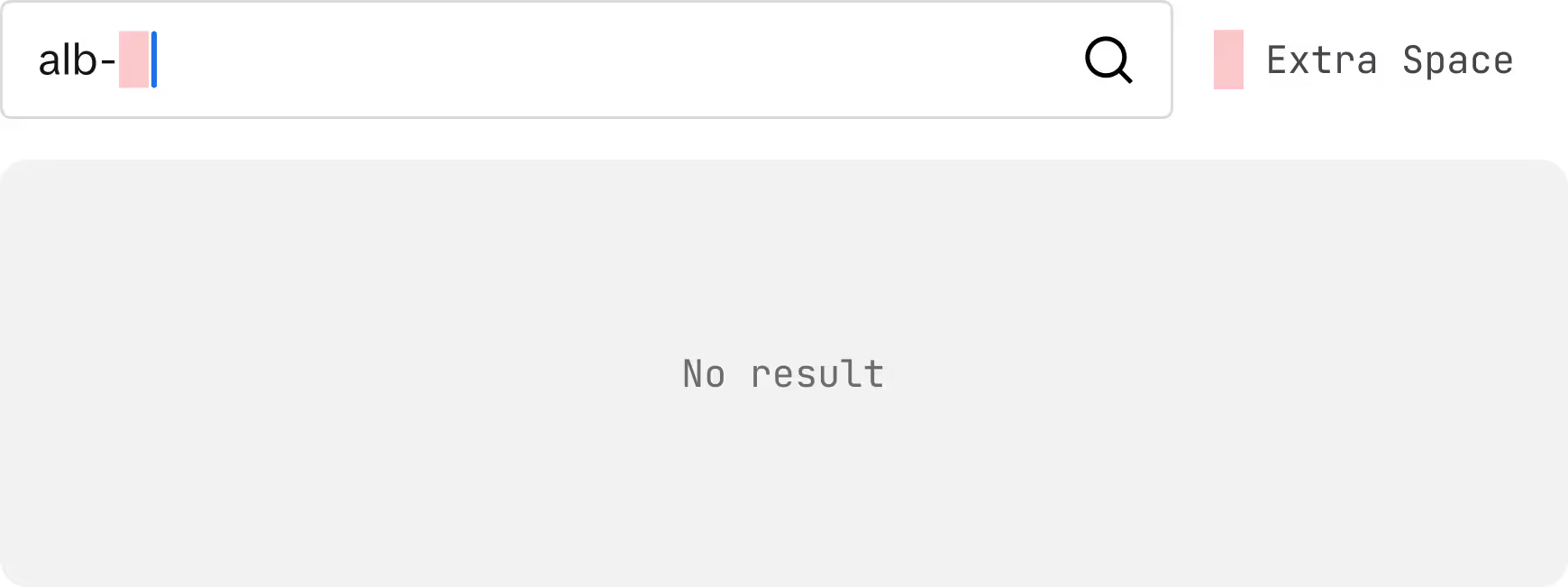
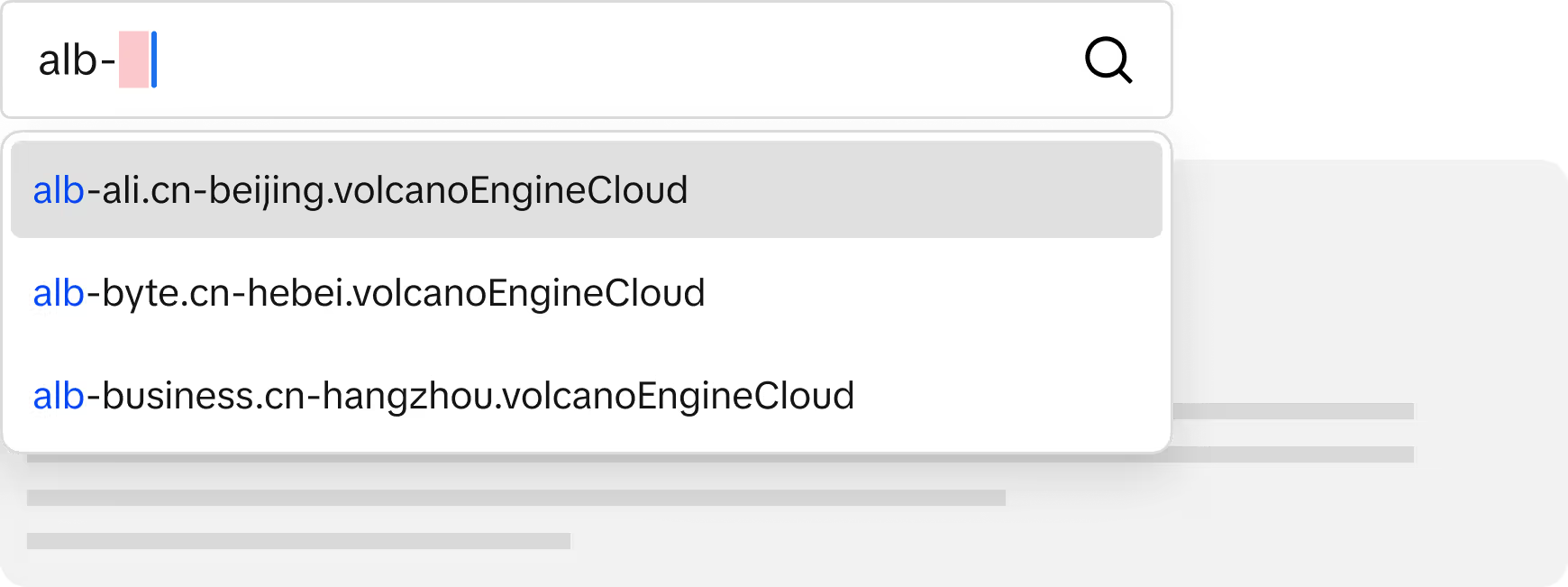
When a page loads, the back end returns a limited number of rows to the front end. Thus, we can at least provide auto-complete functionality based on the loaded front-end data.
Before
After
Raise the baseline / Verify
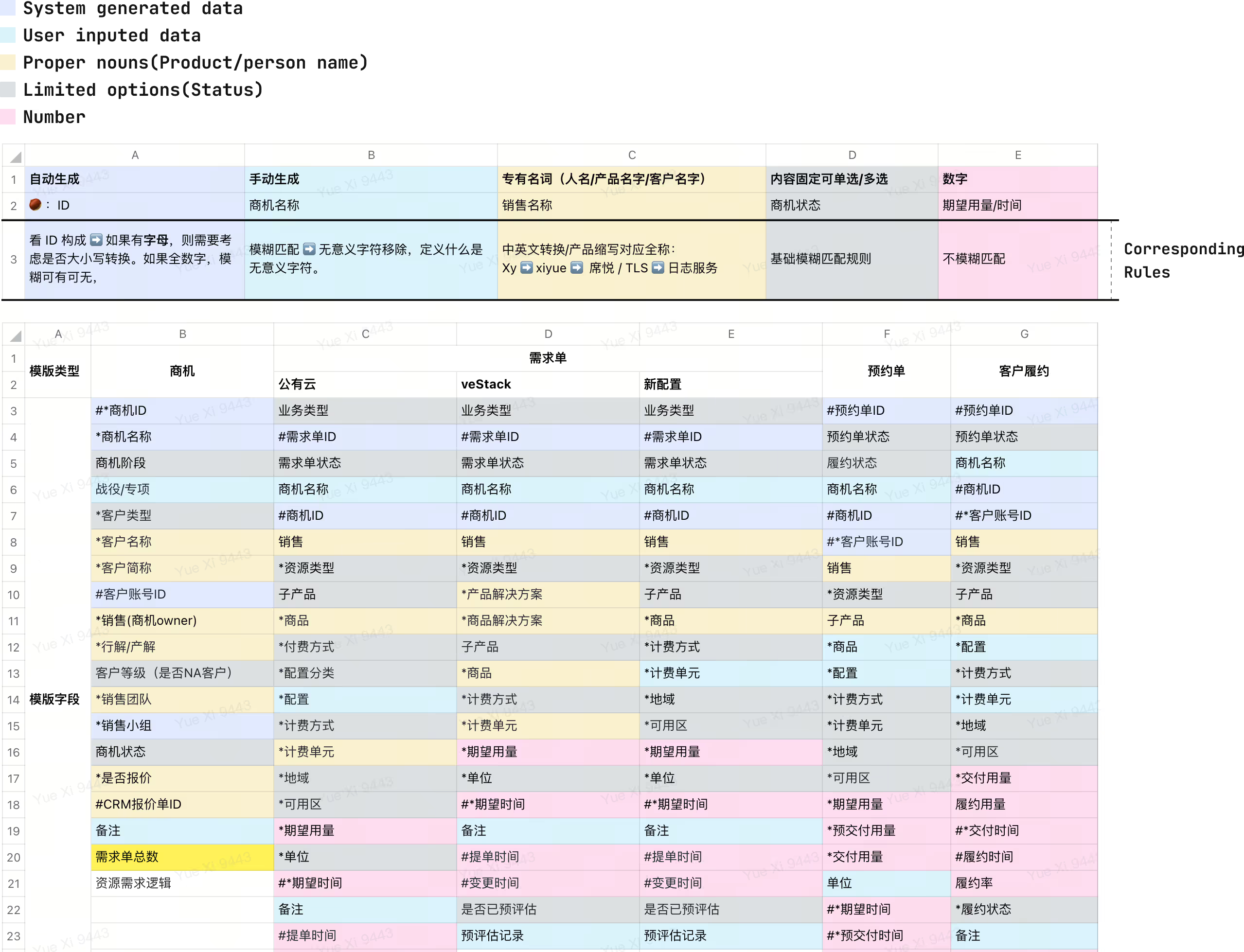
We selected a project with a large number of filters. We divided all these filters into five categories according to data property and generation method. Subsequently, we listed which rules are needed for each category.
Findings / learning
Refining the search experience at the beginning is far easier than making improvements later on.
This further demonstrates the importance of increasing awareness to consider taking another look at features that may seem simple.
Raise the awareness
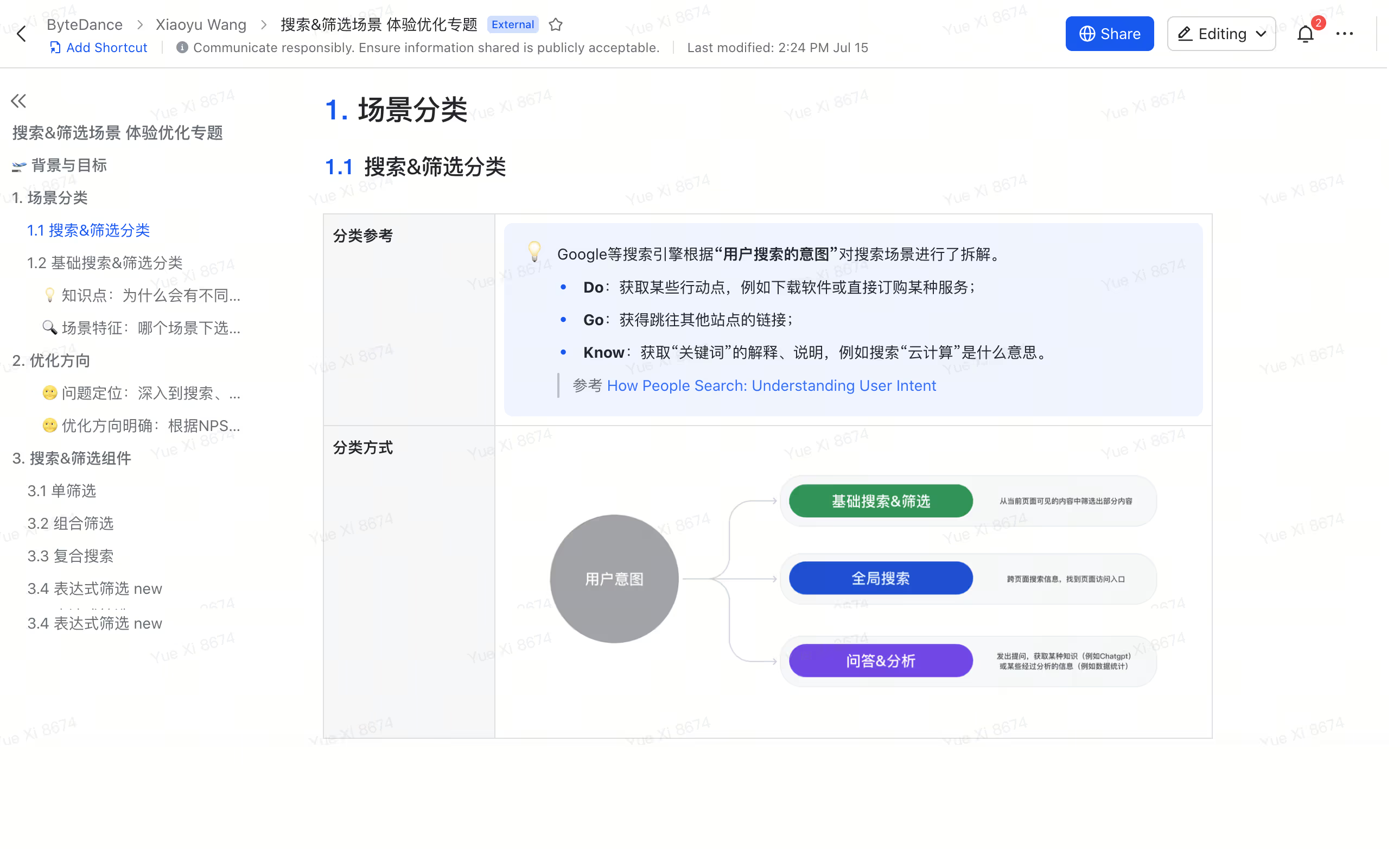
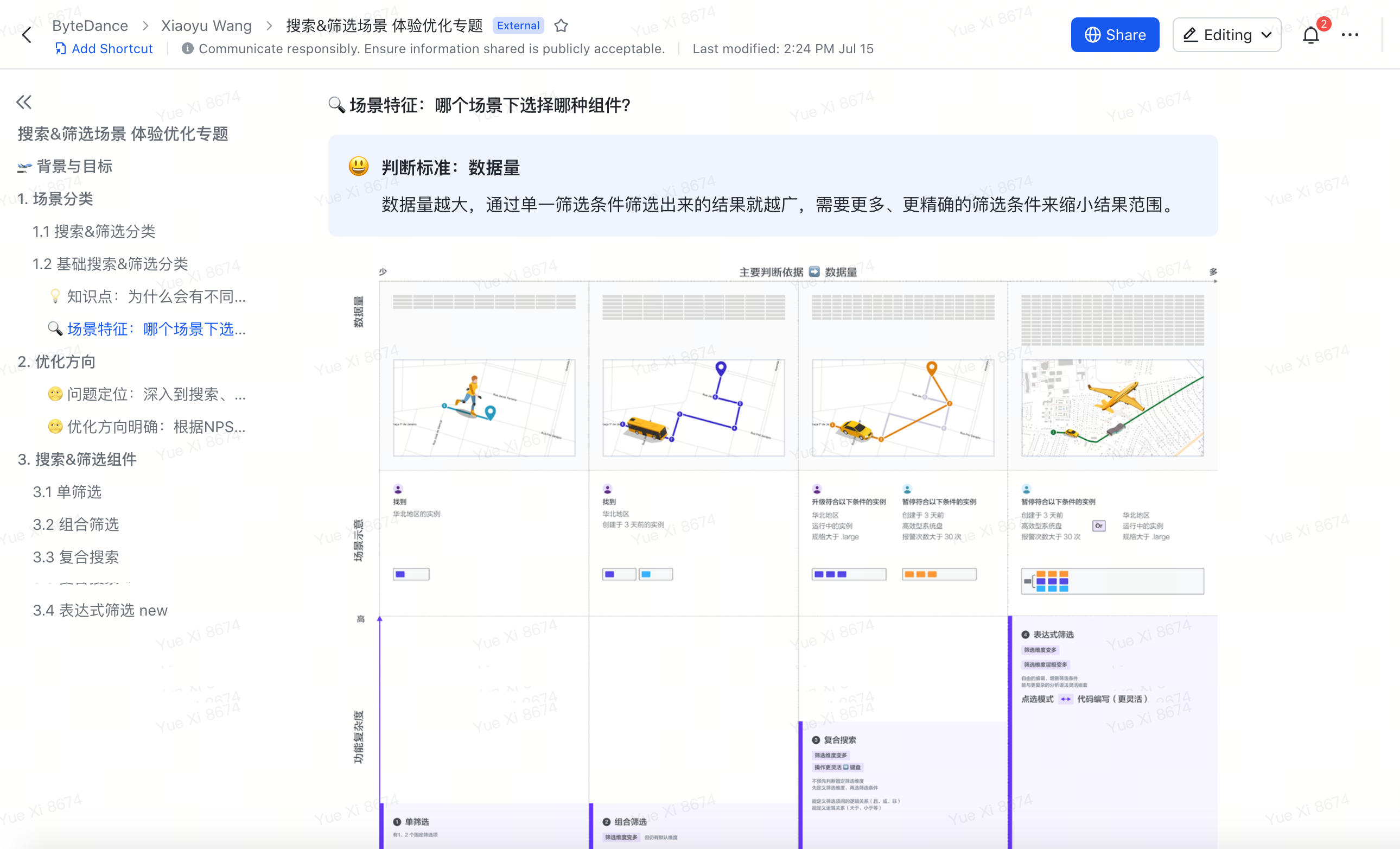
Different search scenarios
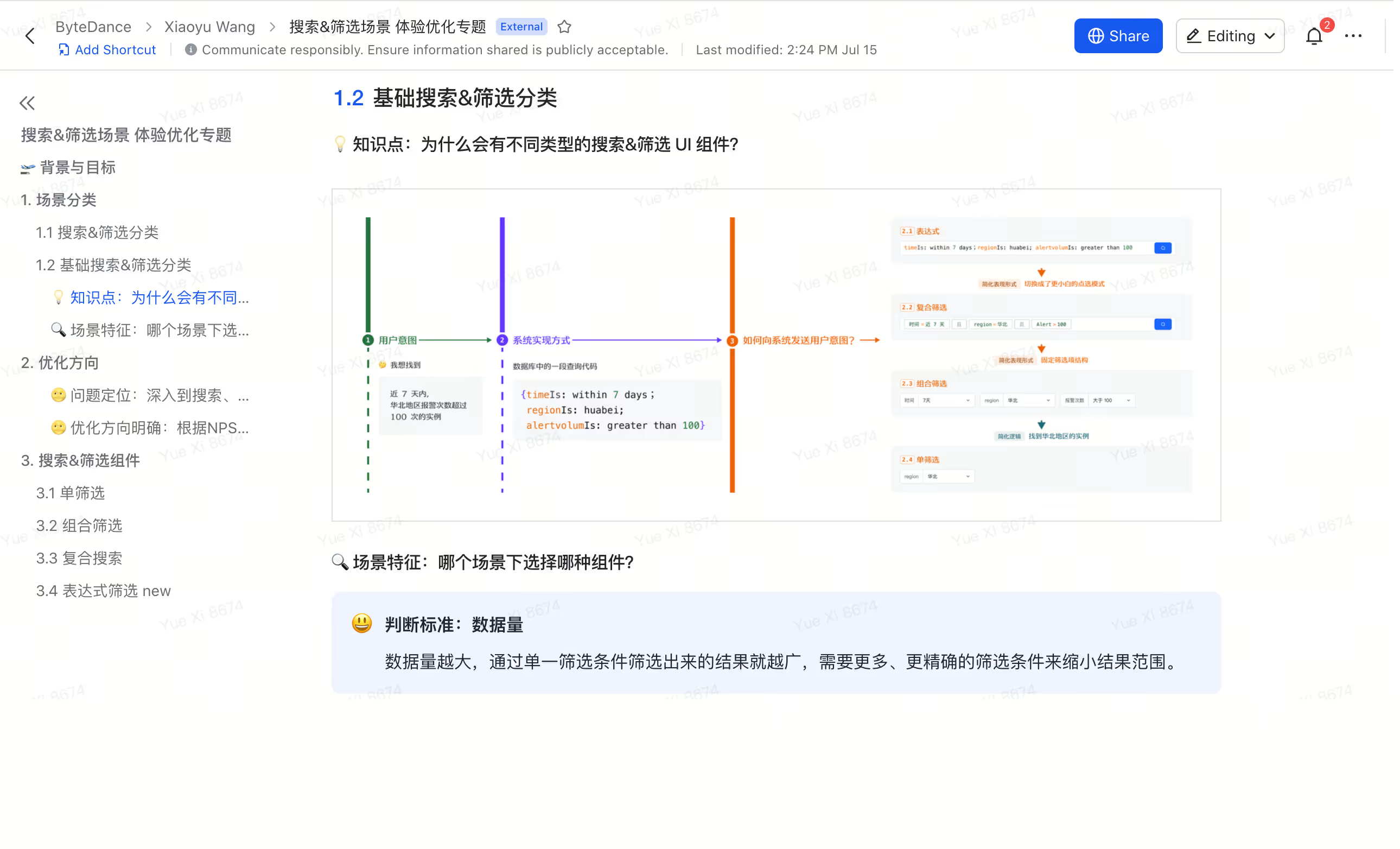
Why so many different design patterns?
How data volume influence design decision?
The result

