
Product
Campaigns
Skills
Product design
Interactive prototyping
User research & testing
Stakeholder management
My role
Product designer
Timeline
Q3 2024
Collaborators
PM: Fan hong
Overview of Account manager's responsibilities
AMs (Account manager) overseeing B0/B1 (B=brand tier) sellers spend a significant portion of their time on strategic activities to enhance sellers' GMV. They believe that marketing promotions and affiliate programs are effective tools for boosting GMV.
However the feedback from the operations leadership team indicates that the current process is inefficient and lacks adequate tool support.
Then we decided to conduct a thorough investigation to identify the underlying problems.


What tools are available? Are they being utilized by the AM team?
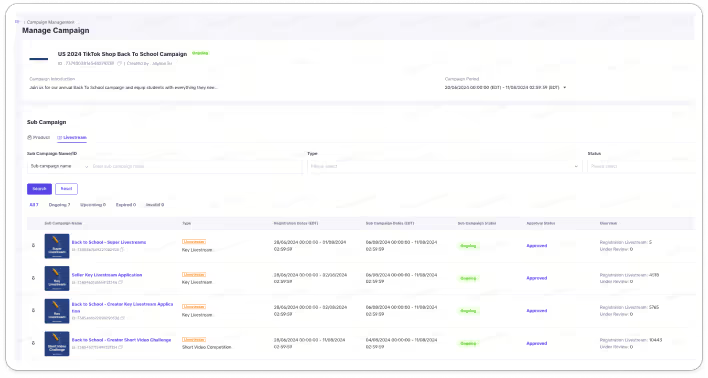
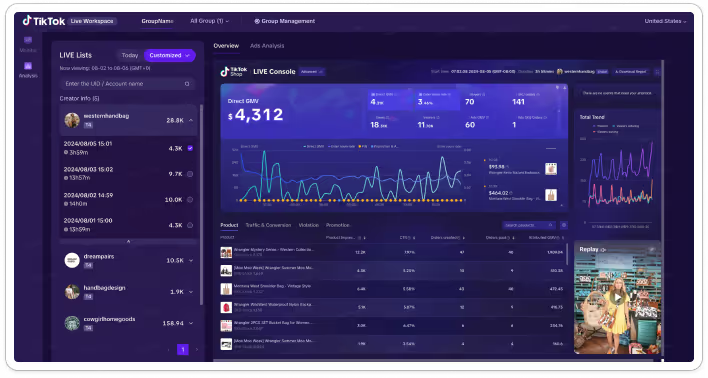
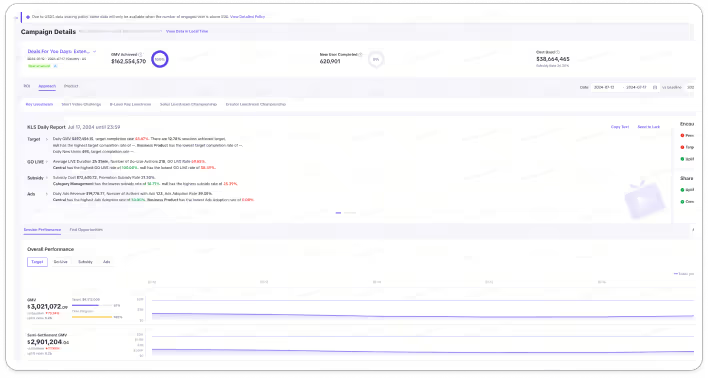
The tools range from accessing campaign information to monitoring live sessions and performance reviews, with the highest weekly active users (WAU) in Campaign Management and Live Performance Monitor. We made assumptions to explain the usage variations, which we aim to validate in user interviews.
User interview goals
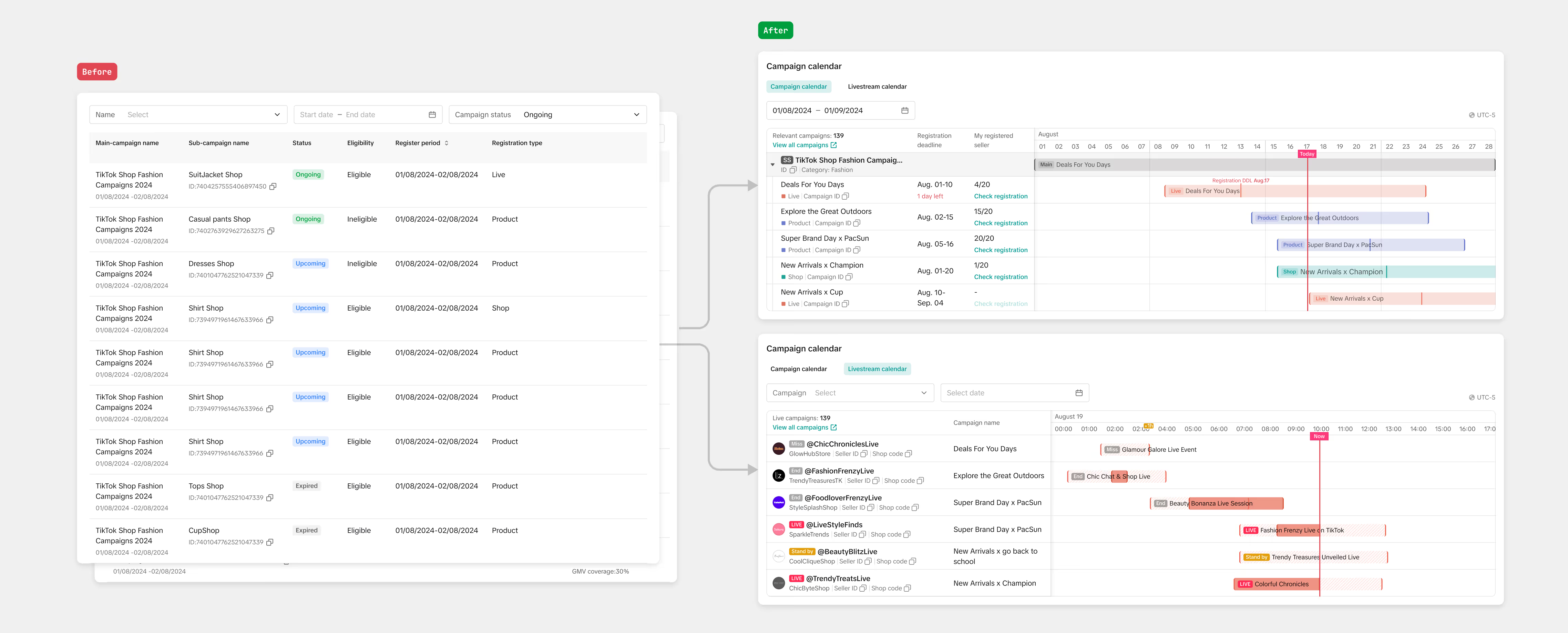
Campaign calendar
Campaign list
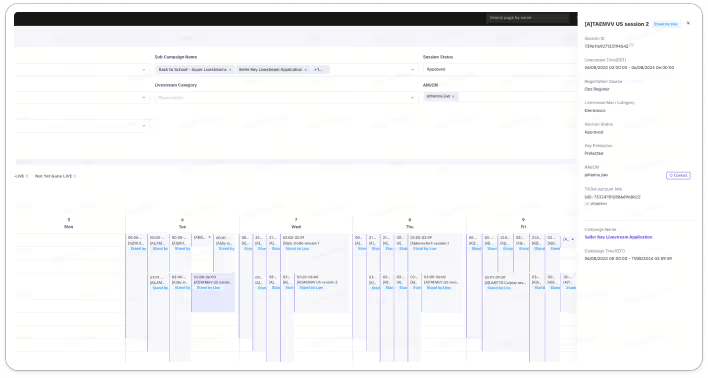
Live screen
Campaign radar
20 WAU
800 WAU
1200 WAU
20 WAU
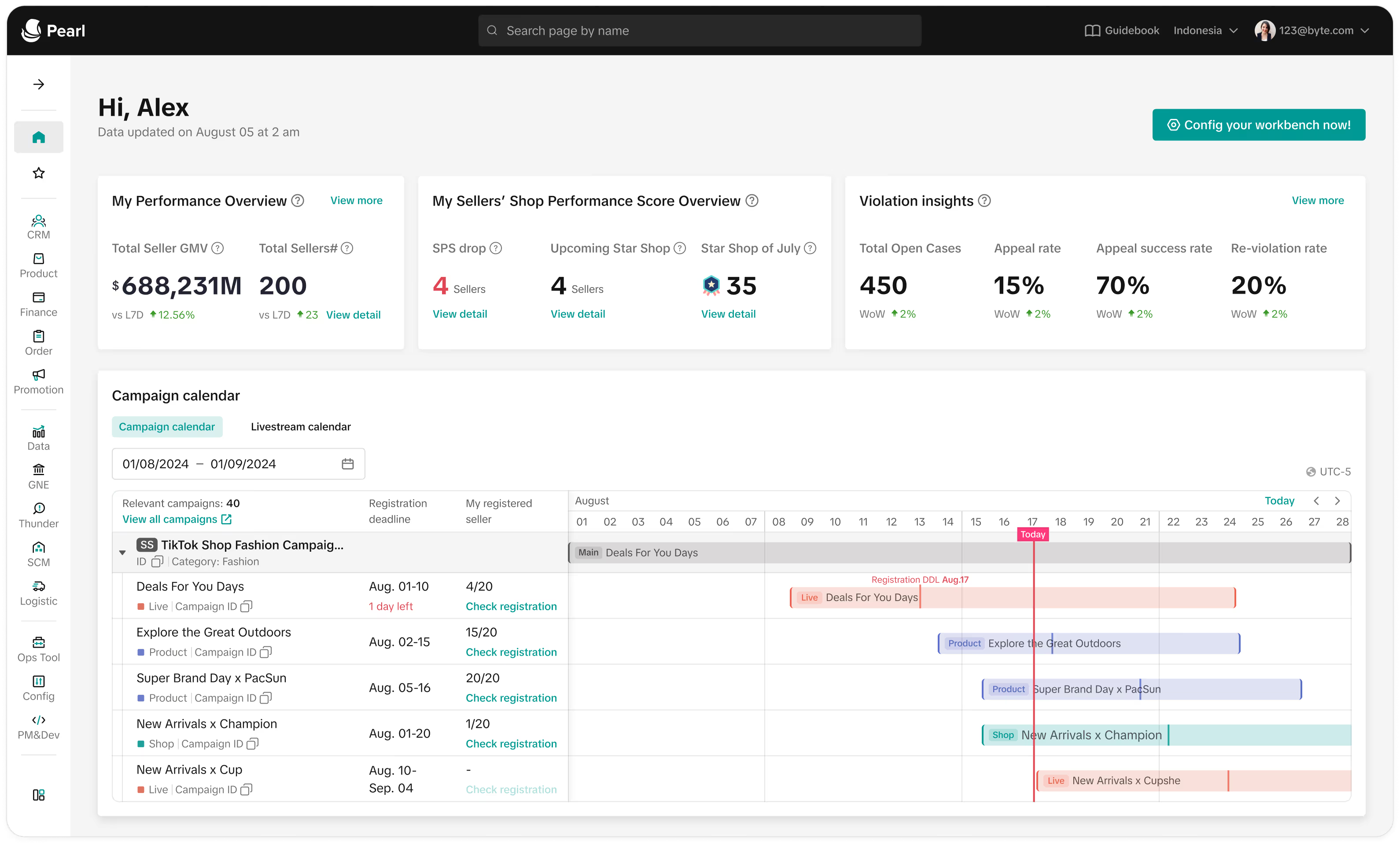
The calendar showcases all campaign schedules, allowing Account Managers (AM) to identify ongoing campaigns.
This section provides essential campaign details, enabling AMs to filter campaigns relevant to their sellers.
AMs can monitor real-time metrics of live sessions here, ensuring they stay updated on performance.
This feature allows AMs to assess campaign performance and identify opportunities for improvement.
Discovery: What are the current workflows and associated pain points?
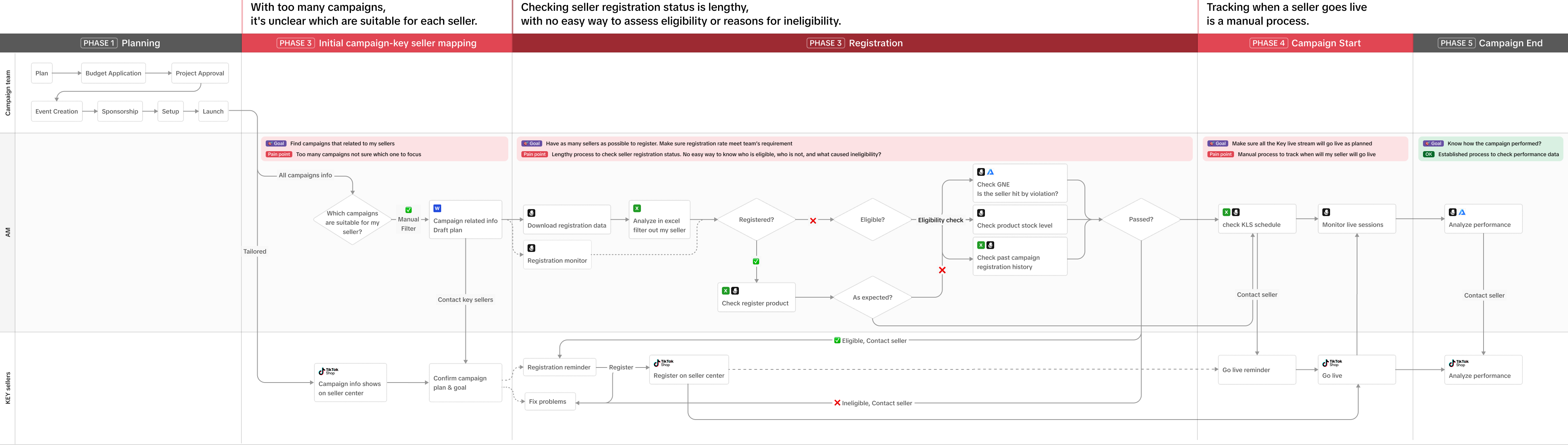
We interviewed 7 account managers to gain insights into the current workflow, needs, and pain points. Executing a campaign requires collaboration between two departments and involves five main stages.
Account managers face pain points in:
Discovery: do they use our tools?
AM's typical weekly routine
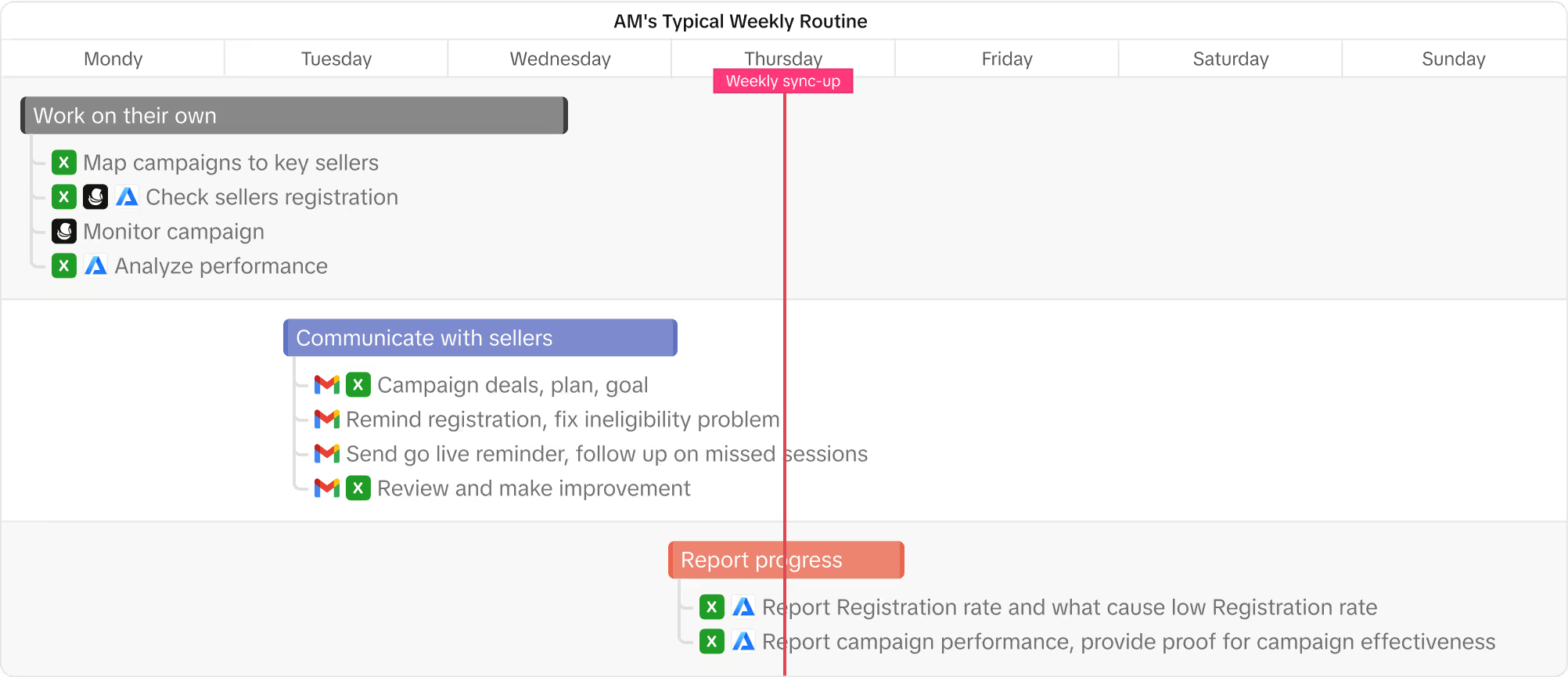
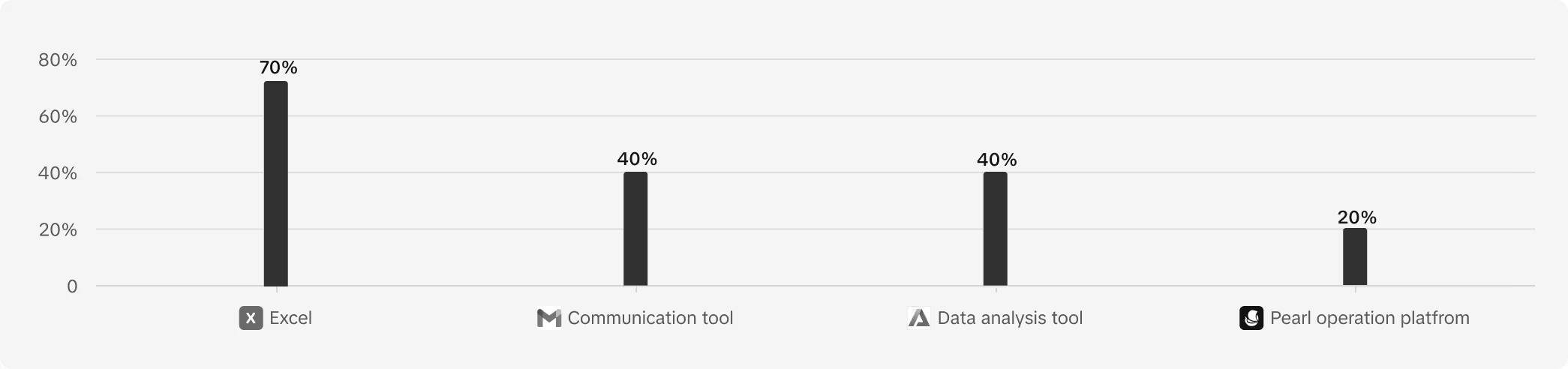
Excel covers 70% of users' tasks.
🤔 Why?
Familiarity
They have used Excel in their previous jobs, making it a familiar tool.
Flexibility
Excel allows for extensive customization, enabling AMs to tailor spreadsheets to their specific needs.
Sharability
Excel files can be easily shared and collaborated on, allowing account managers to work with team members and sellers seamlessly.
Excel can be used for reporting, inserting data into weekly report.
Discovery: Why is the adoption of most of our tools suboptimal?
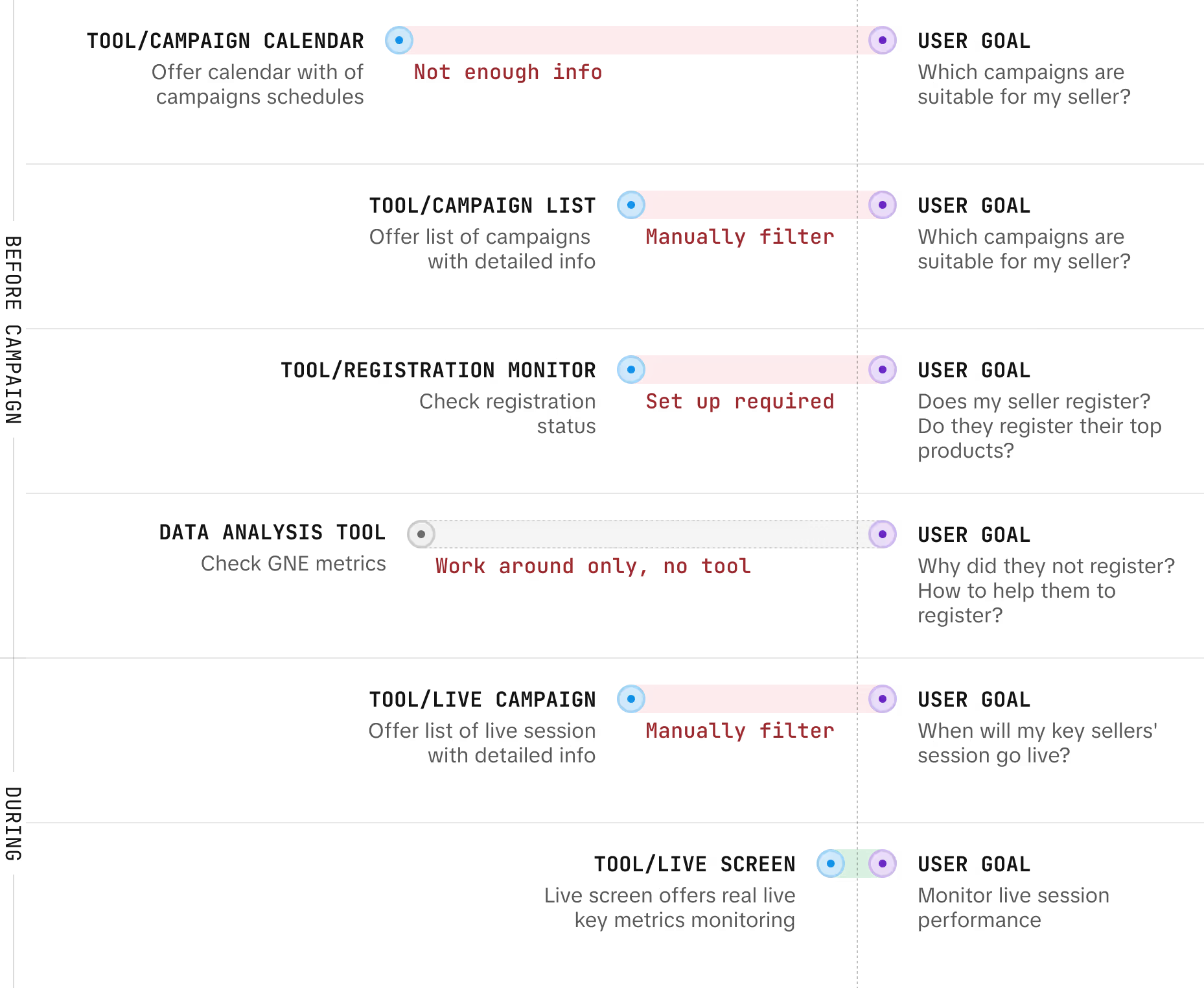
Campaign calendar
Does not provide the essential information needed.
Other tools
Users are required to manually search or configure settings to find what they need, resulting in a lengthy and inefficient process.
For further problem validation,
users must navigate between multiple tools in hopes of finding the correct answers.
Define
Business goal
Provide a solution that is highly attuned to users' needs and efficiently streamlines the campaign management workflow for AM. This will lead to

Design goal & strategy
STEP 0
STEP 1
STEP 2
STEP 3
STEP 4
STEP 5
STEP 6
Define
During campaign period:
[Key scenario] Visitor Registration Check Rate: 30%
[Key follow up action] Weekly Emails Sent: 50
GOAL#1:
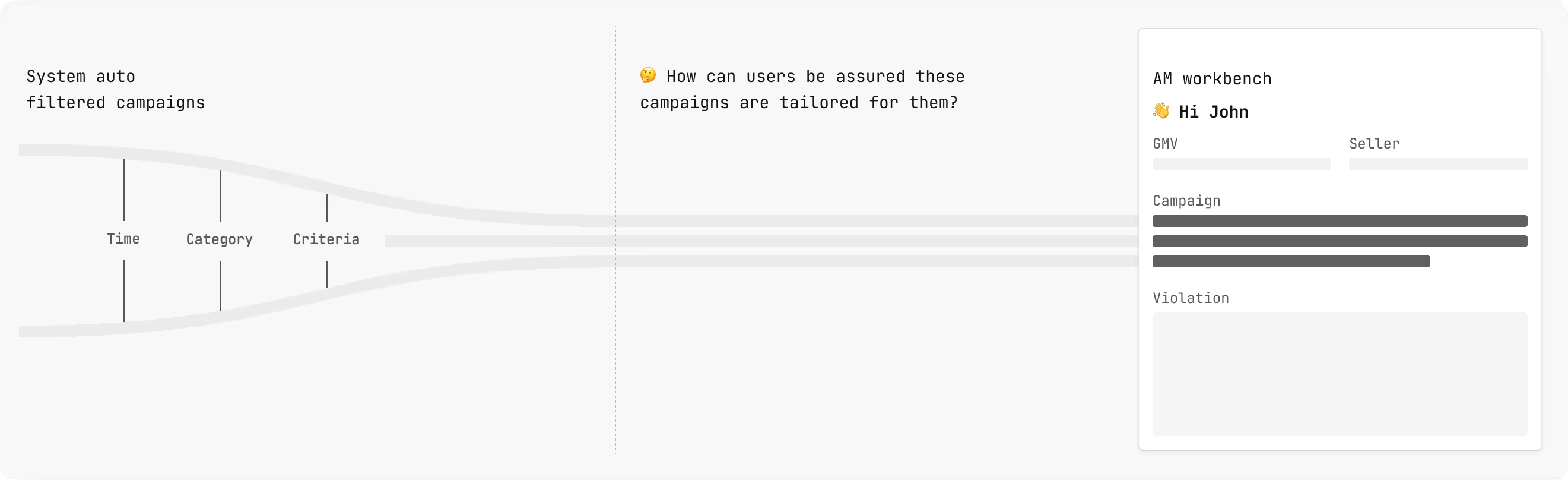
How can we help users find relevant campaigns more easily?
The answer may seem straightforward: implement a system that automatically filters the information users need, thus eliminating the need for manual sifting. However, the real question then becomes...
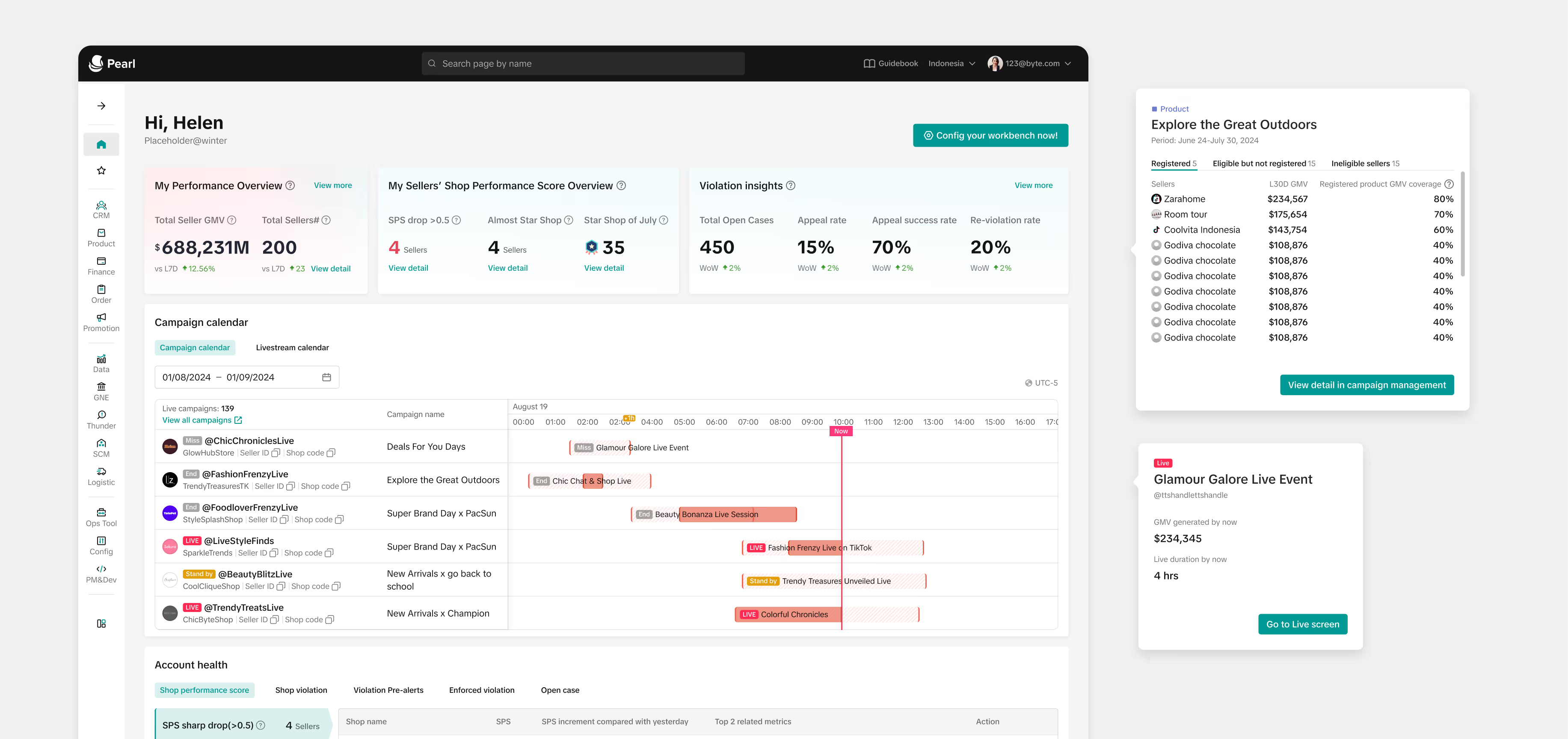
The placement of information is crucial; AM workbench is a good option for two reasons:
GOAL#2:
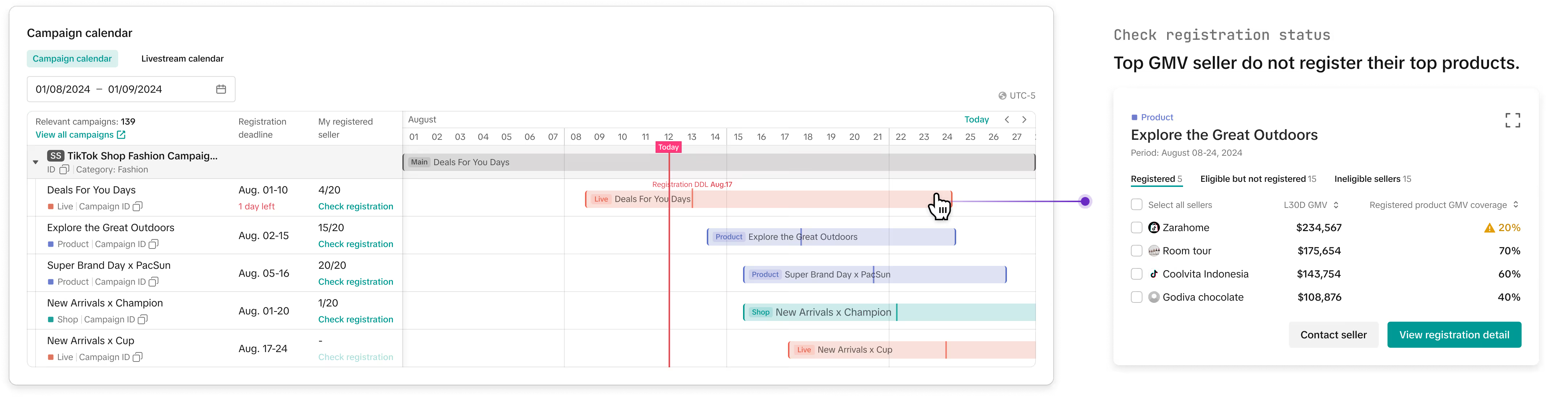
How can we help users increase registered sellers effectively?
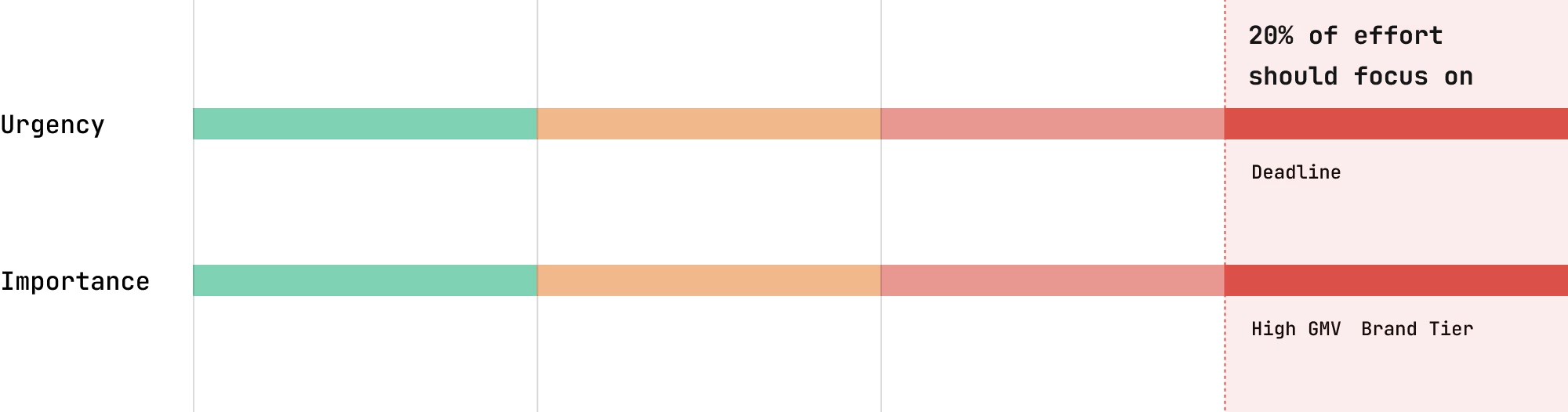
During the discovery phase, we found that although getting all sellers to register is the ultimate goal, it is not practical. Given limited time and resources, account managers (AMs) typically apply the 80/20 rule, concentrating on the key sellers. Two important stimuli are identified:
GOAL#2:
How can we help users increase registered sellers effectively?
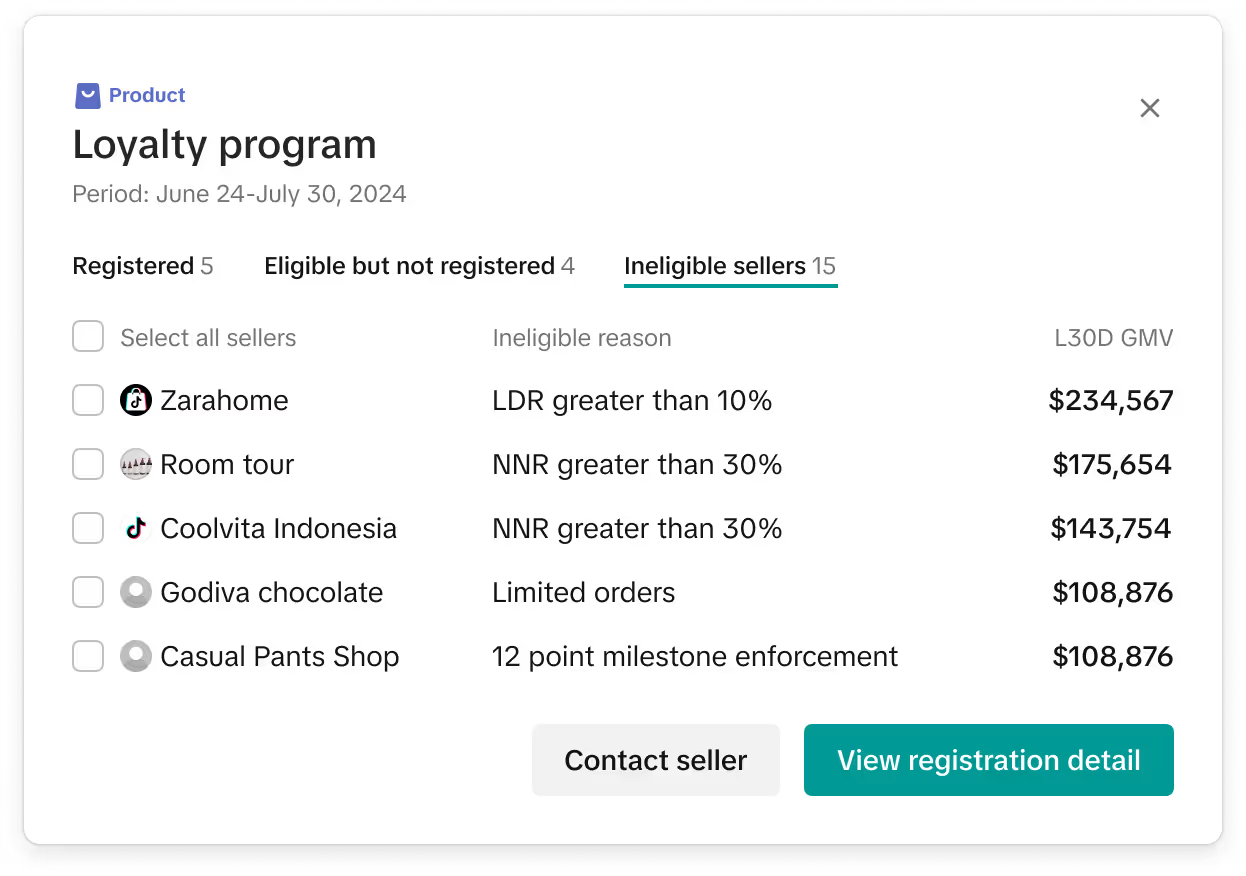
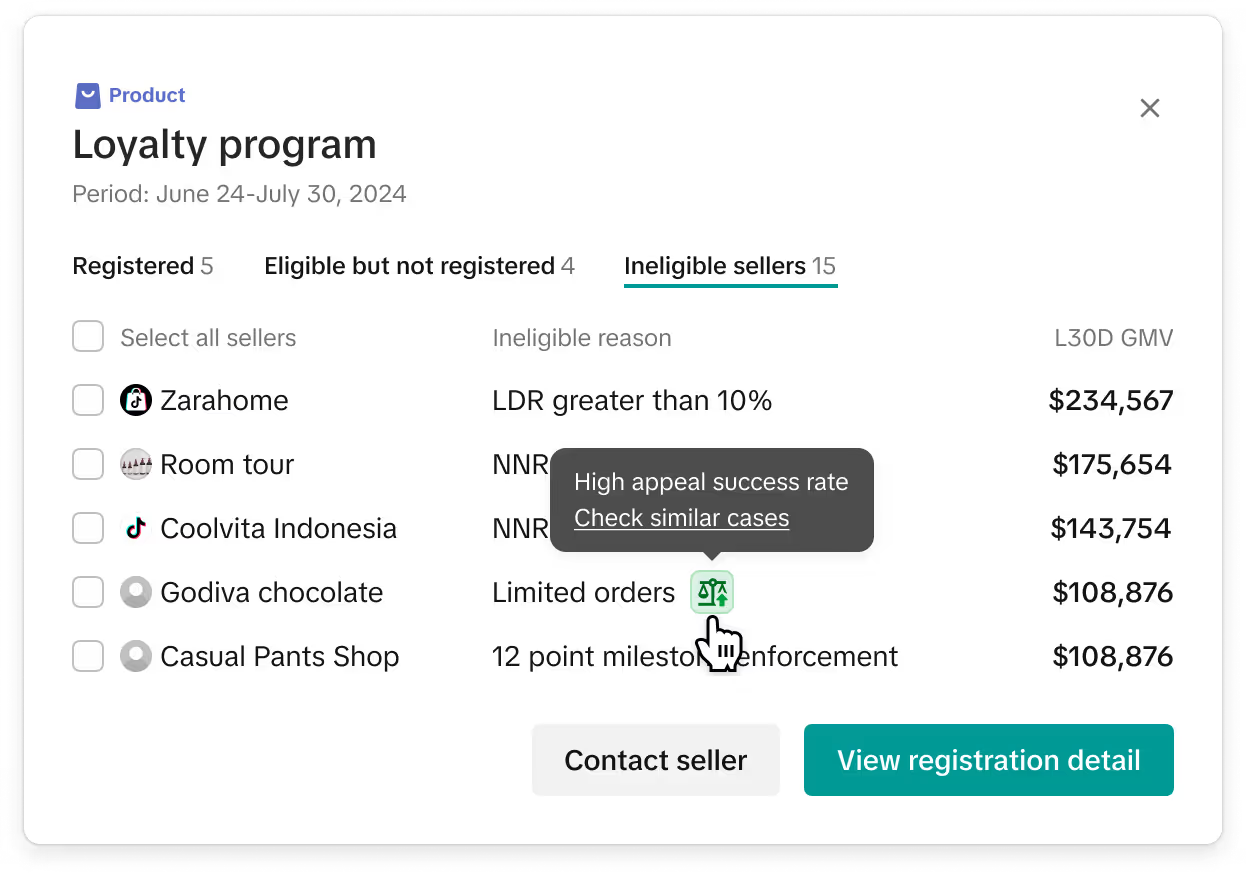
We have listed the most common problems and their potential causes. Then we will see what data we can obtain and determine the final displayed content according to the available data.
GOAL#2:
How can we help users increase registered sellers effectively?
Provide a standardized communication template for different use cases to improve efficiency, consistency and clarity.

GOAL#3:
How can we help users track live session status and increase on-time starts?
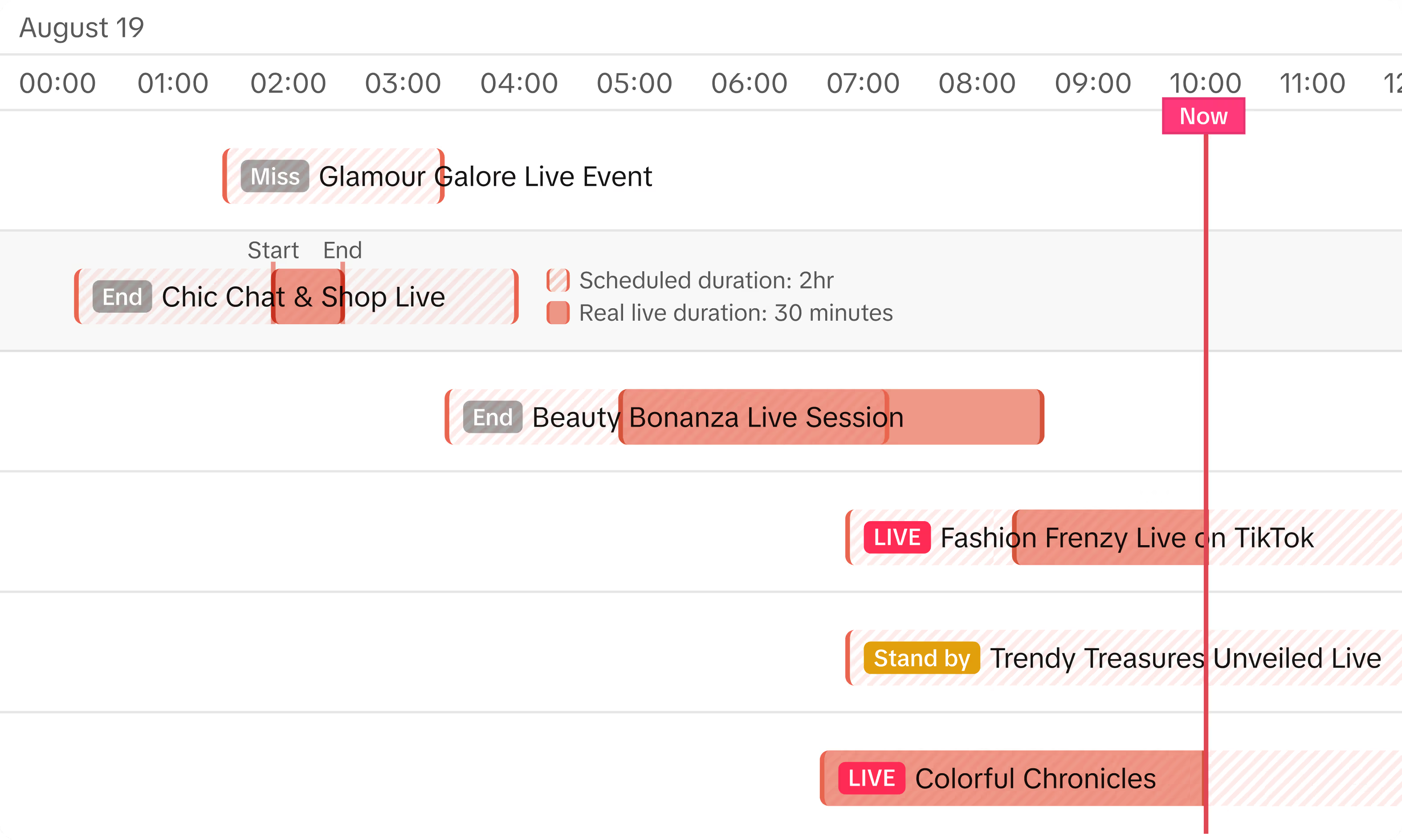
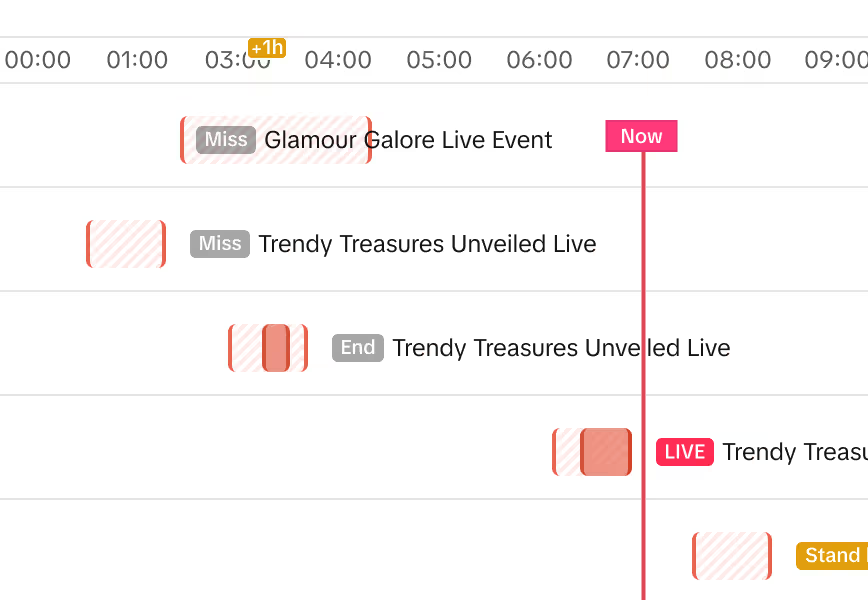
Account Managers (AMs) are accustomed to identifying problems by comparing against benchmark data.
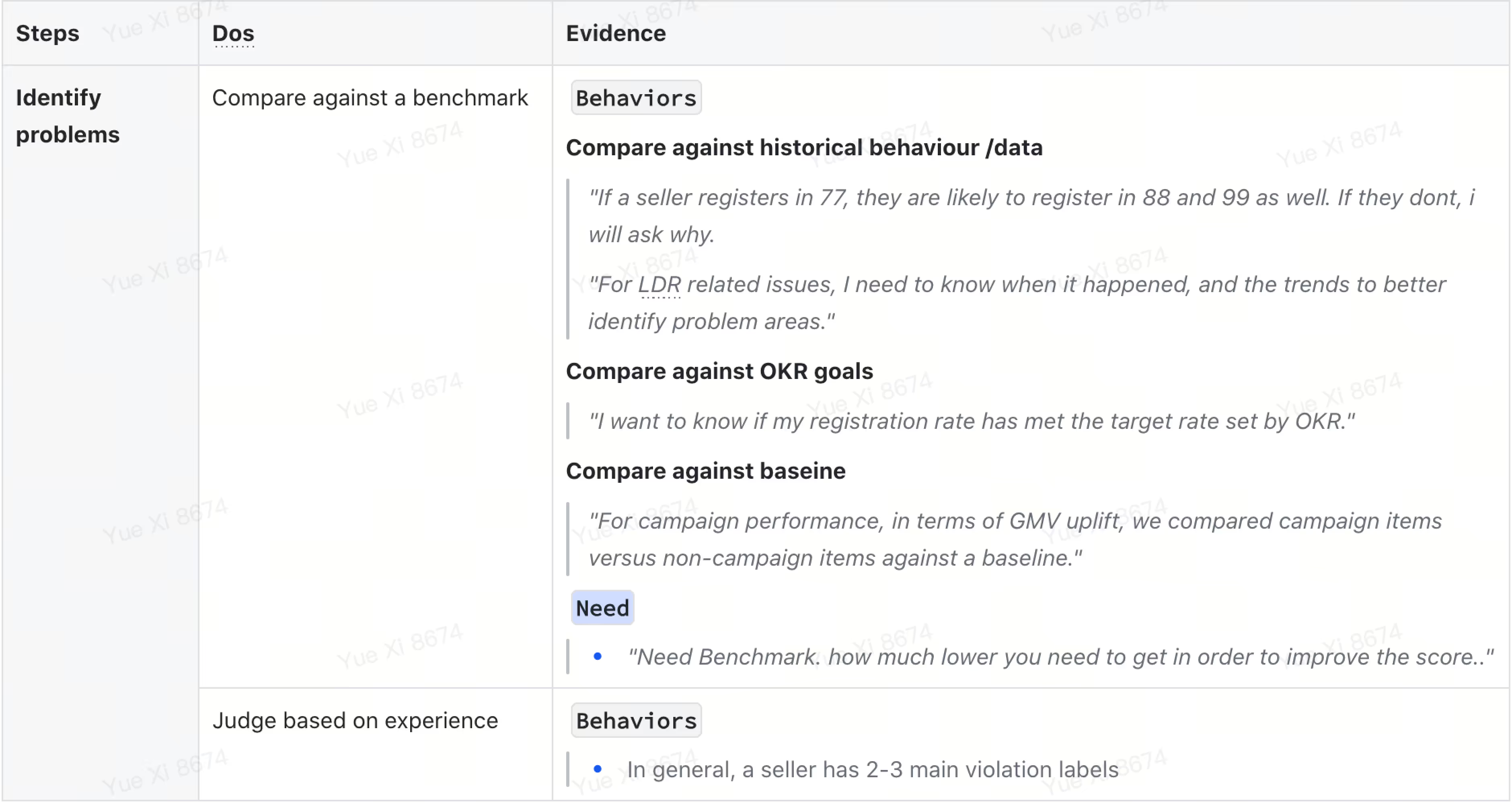
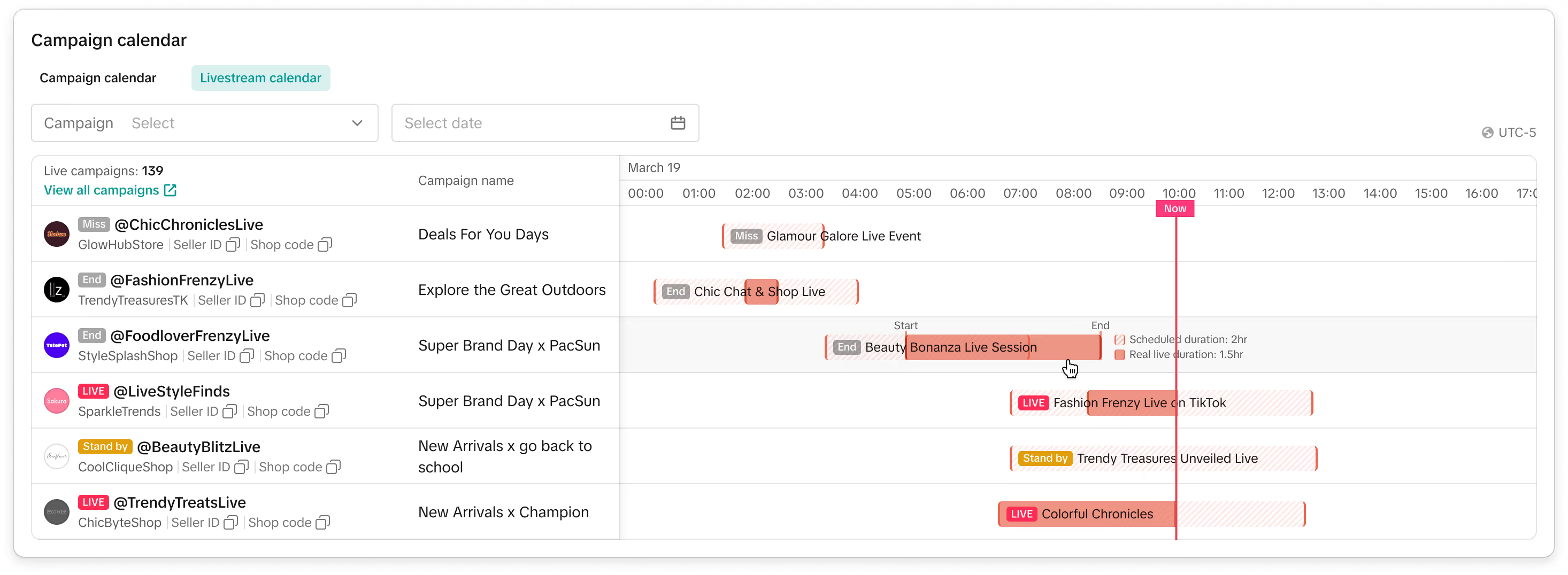
In the case of a live session, the benchmark data is defined as:
The scheduled session duration, start time, and end time.
When actual session didn't go live on time, AM needs to remind seller.

When actual session duration is shorter than planned, AM needs to know why

Implementation challenges
Is developing a widget truly easier than creating an entirely new page?
We attempt to get resources from elsewhere. With the assistance of our manager, we contacted two teams.
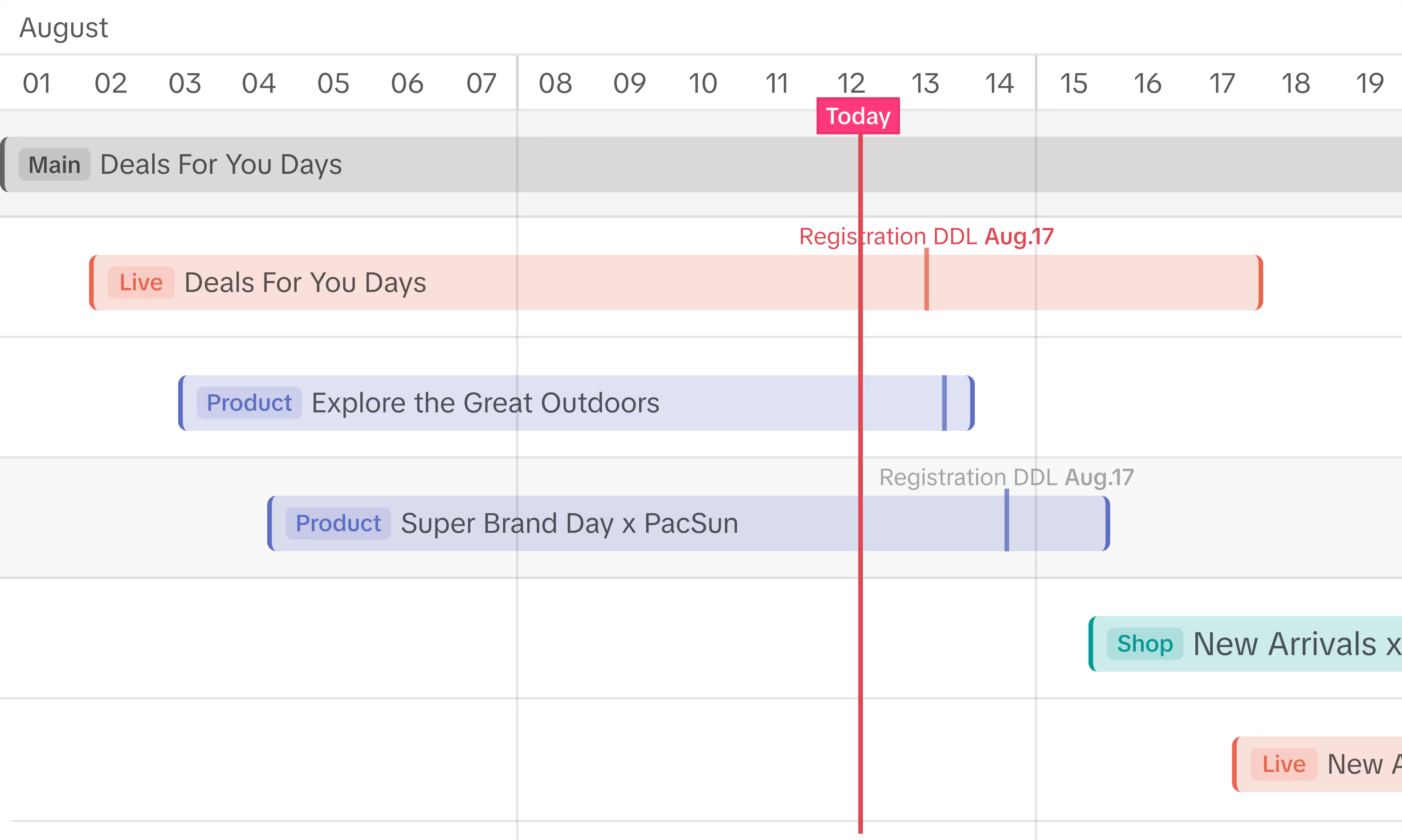
The team working on leads management saw an opportunity to utilize a Gantt chart for their use case and agreed to collaborate on this feature.
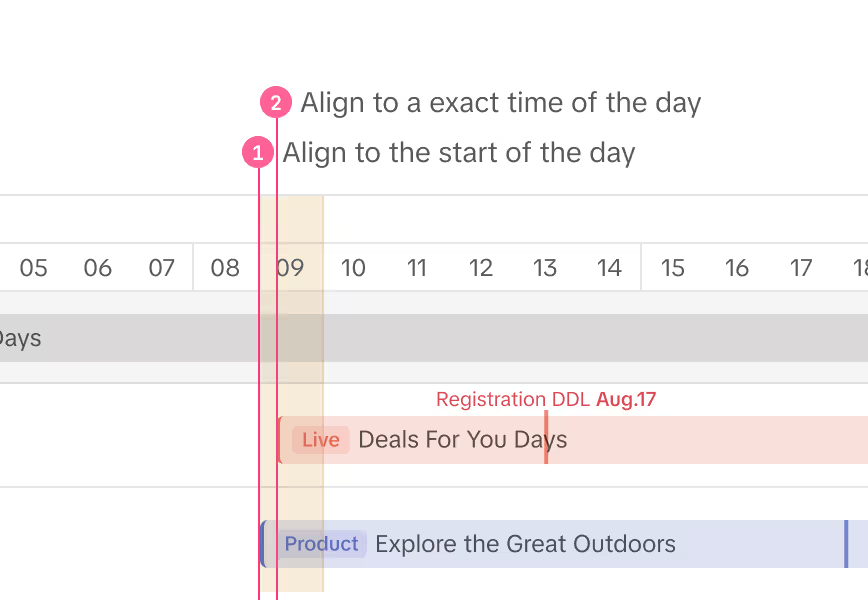
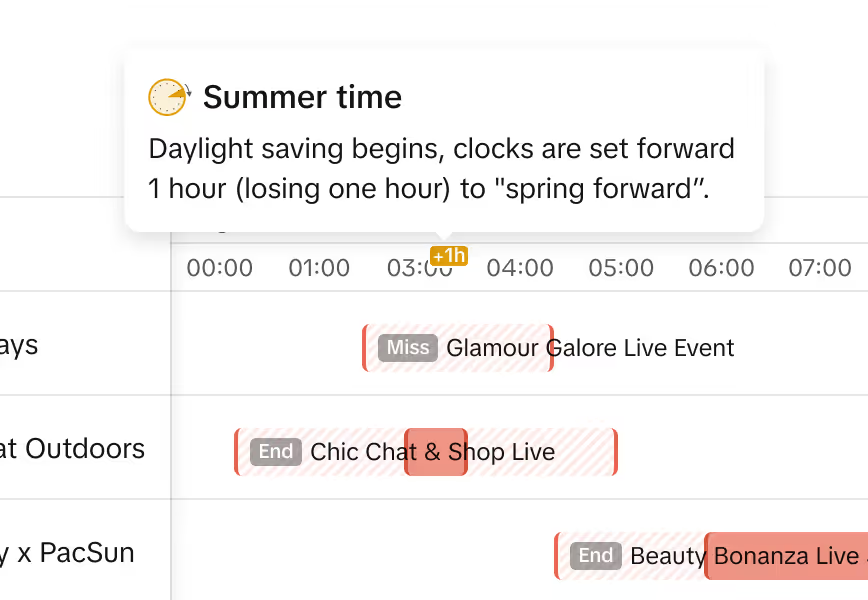
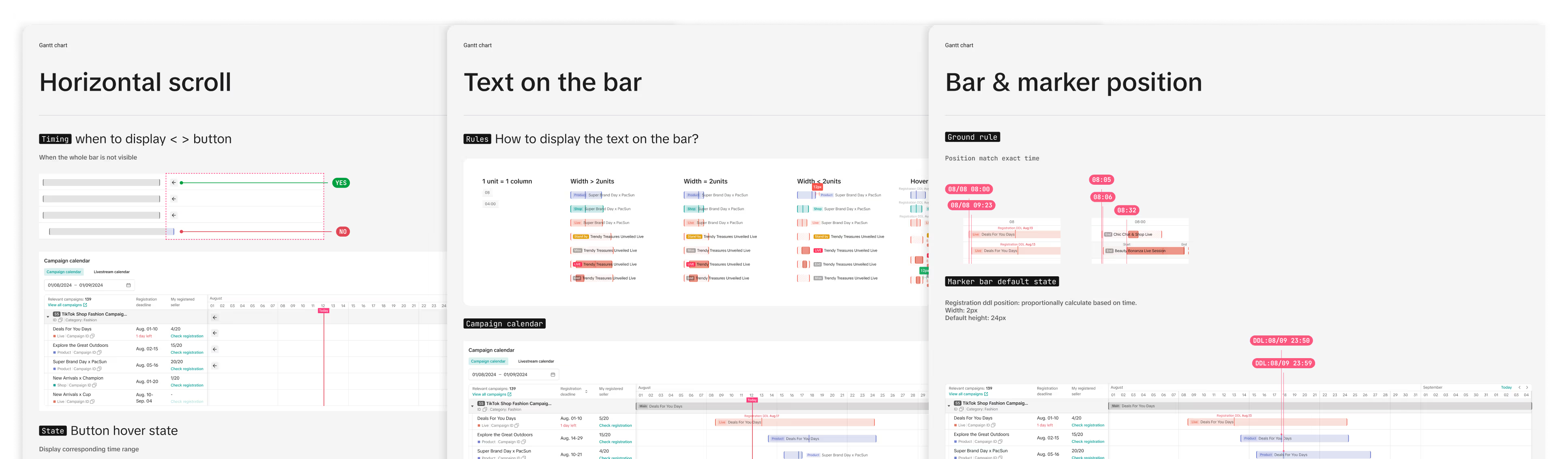
Lack of ready-to-use components means
more work for me to define Gantt chart specs, from style to interaction.
Design reviews
Questions
Versions
Result
Problem
During major campaign periods, Account Managers (AMs) prefer to call sellers first to ensure they are informed. As a result, follow-up emails with more details are sent afterward. This preference is a primary reason why the number of emails sent is lower than expected.
Proposed Solution
To address this issue, for next iteration, we will integrate multiple communication methods. This will allow AMs to choose their preferred method based on the situation, enhancing overall communication effectiveness.